
The tree hierarchies used on the various tabs of the Specification Management library all function the same way. You can apply a characteristic, specification, or document at any level node in the tree and it will be used (inherited) by new child nodes you create under that node until you add a different characteristic, specification, or document lower in the tree structure.
Inheritance example
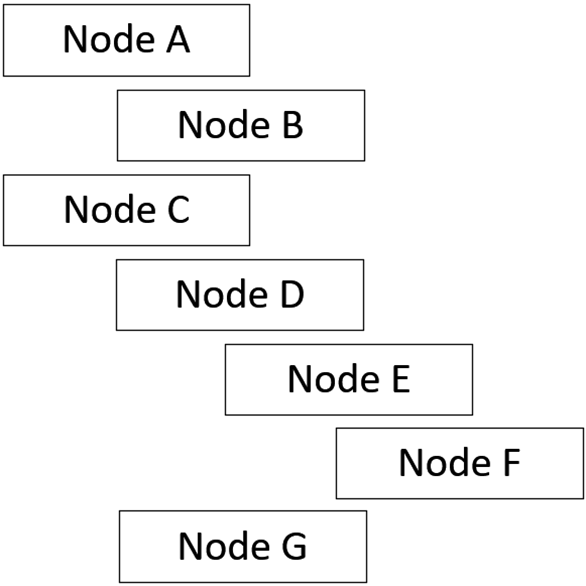
Consider the following example product tree:
-
A characteristic defined on Node A is inherited by its child, Node B.
-
A characteristic defined on Node C is inherited by its children: Nodes D, E, F, and G.
-
A characteristic defined on Node D is inherited by its children: Nodes E and F.
-
If Node C has a characteristic with value “X”, all nodes under Node C inherit it. If Node E overwrites this value, Node F inherits from Node E.
Important
As you build a tree in the Specification Management Library, it's important to remember how the concept of inheritance works in the tree structure as you share and link characteristics, specifications, and documents. Child nodes inherit all the characteristics, specifications, and documents from their predecessors.
Create a hierarchy in the library
You can create a hierarchy in the Products or Equipment trees of the Specification Management Library.
-
Log into FactoryLogix Office, then select Libraries > Specification Management Library.
-
Select the Products tab.
-
Select the New button, then select Node to add a top level (root) node to the tree.
-
Enter a Name for the node, then select OK.
-
Select the New button, then select Child Node to add a second level child node to the tree.
-
Enter a Name for the node, then select OK.
-
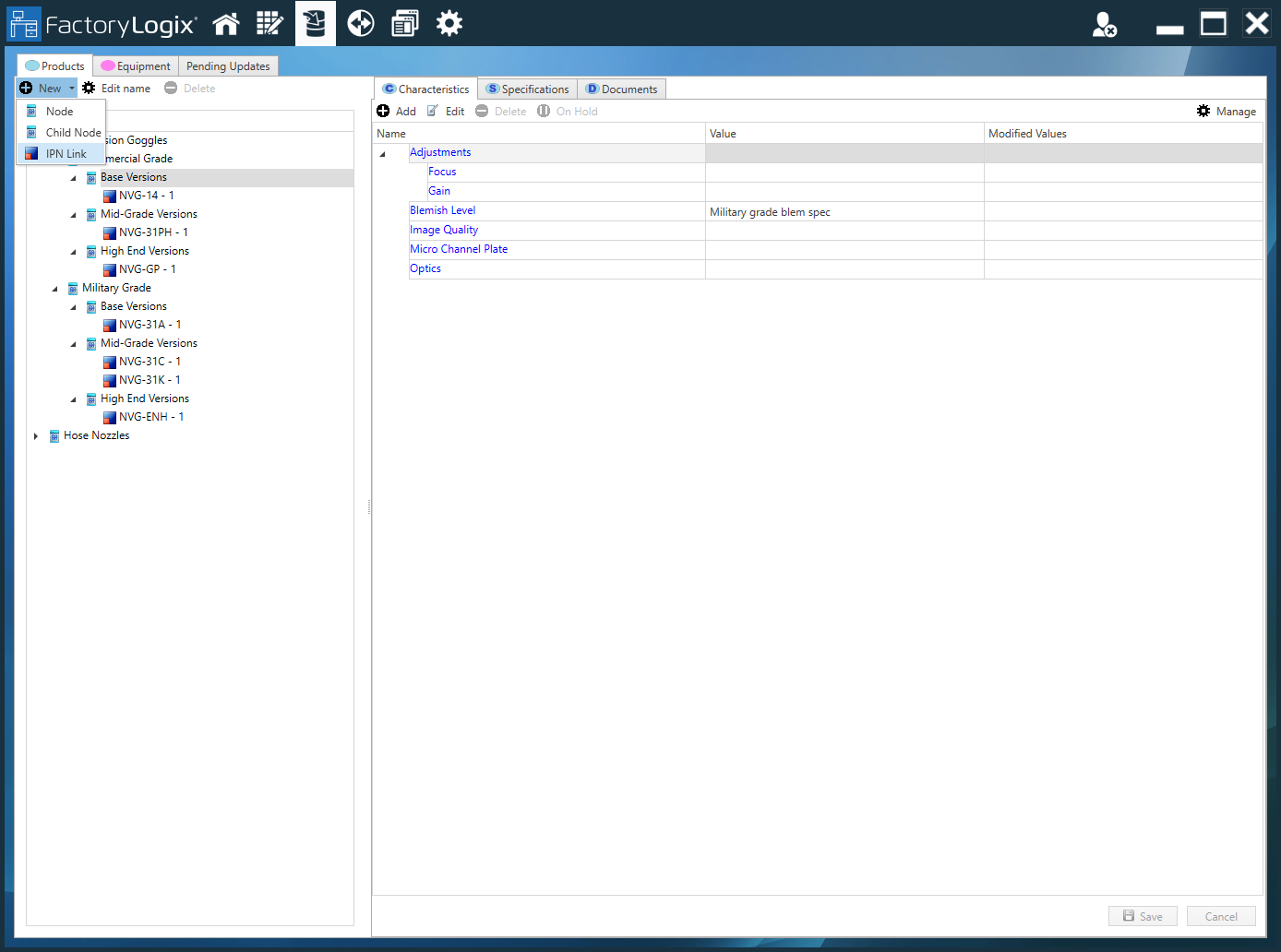
Select the New button, then select IPN Link.
-
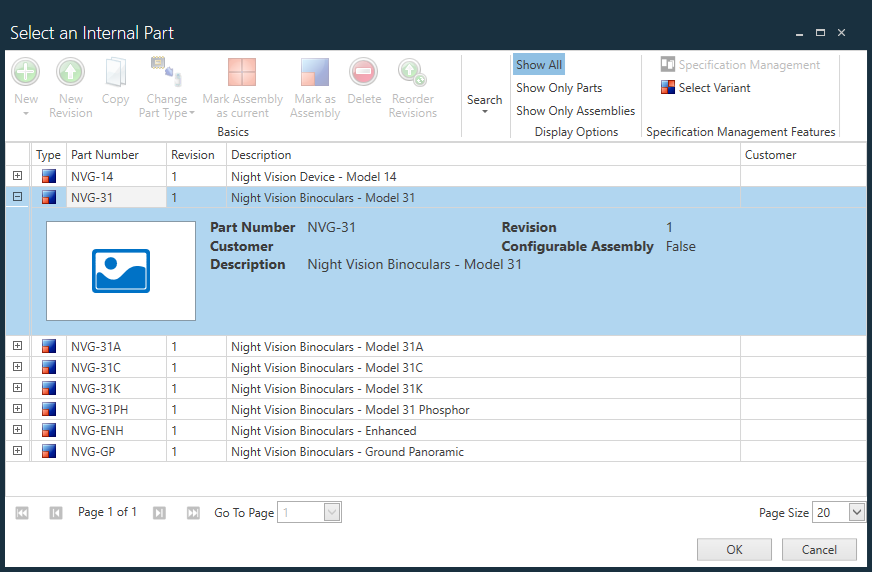
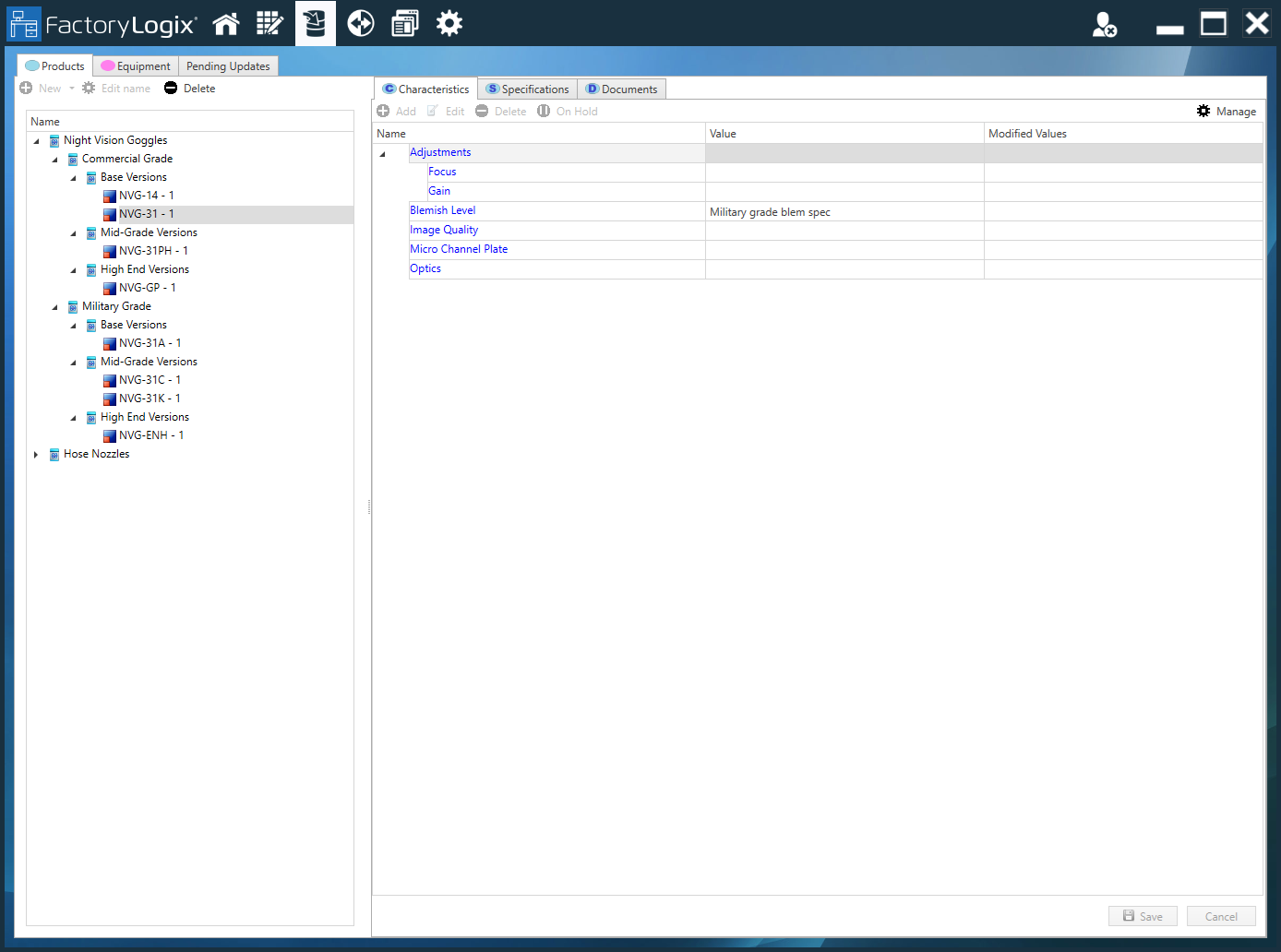
In the Select an Internal Part dialog, search for and select the desired assembly or assembly revision, then select OK to add it to the tree. (You can also use the dialog to add selected parts to the tree.)
-
Continue to build the library tree by adding nodes, child nodes, assemblies, and/or parts.
You can add and apply characteristics, specifications, and documents to selected tree items at any time.