
Integration services
ADMINISTRATOR
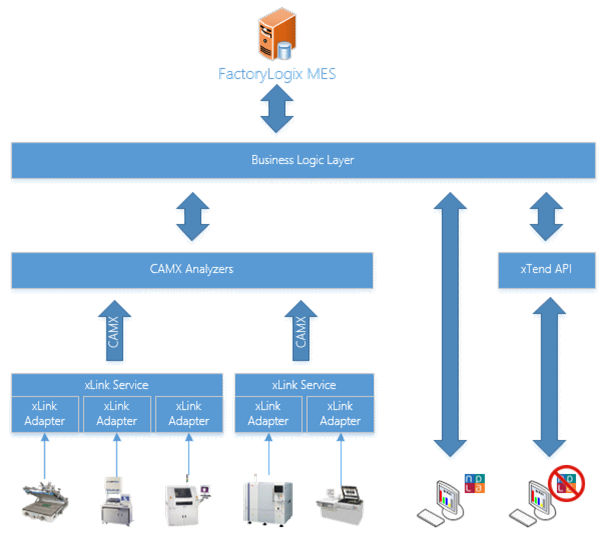
xLink architecture
The Aegis xLink architecture is a “plug-in” style mechanism hosted by a Windows service. Each xLink adapter is a translator that converts a piece of manufacturing equipment’s proprietary data language into an Aegis “common” language based on the IPC CAMX 2541, 2546, and 2547 standards.
xLink adapters generate CAMX XML messages that are processed by a singular, optimized data processing engine into the FactoryLogix database. Our human UI-based production terminals use this same processing engine to ensure that all data is processed through the same logic—regardless of source.
Before you can use Aegis xLink adapters, you must configure the xLink service details in the Server Management client application. (See FactoryLogix xTend Framework and xLink service configuration for details.)

Important
Only qualified administrators/IT personnel or Aegis deployment engineers should configure xLink service details.
Integration Services window
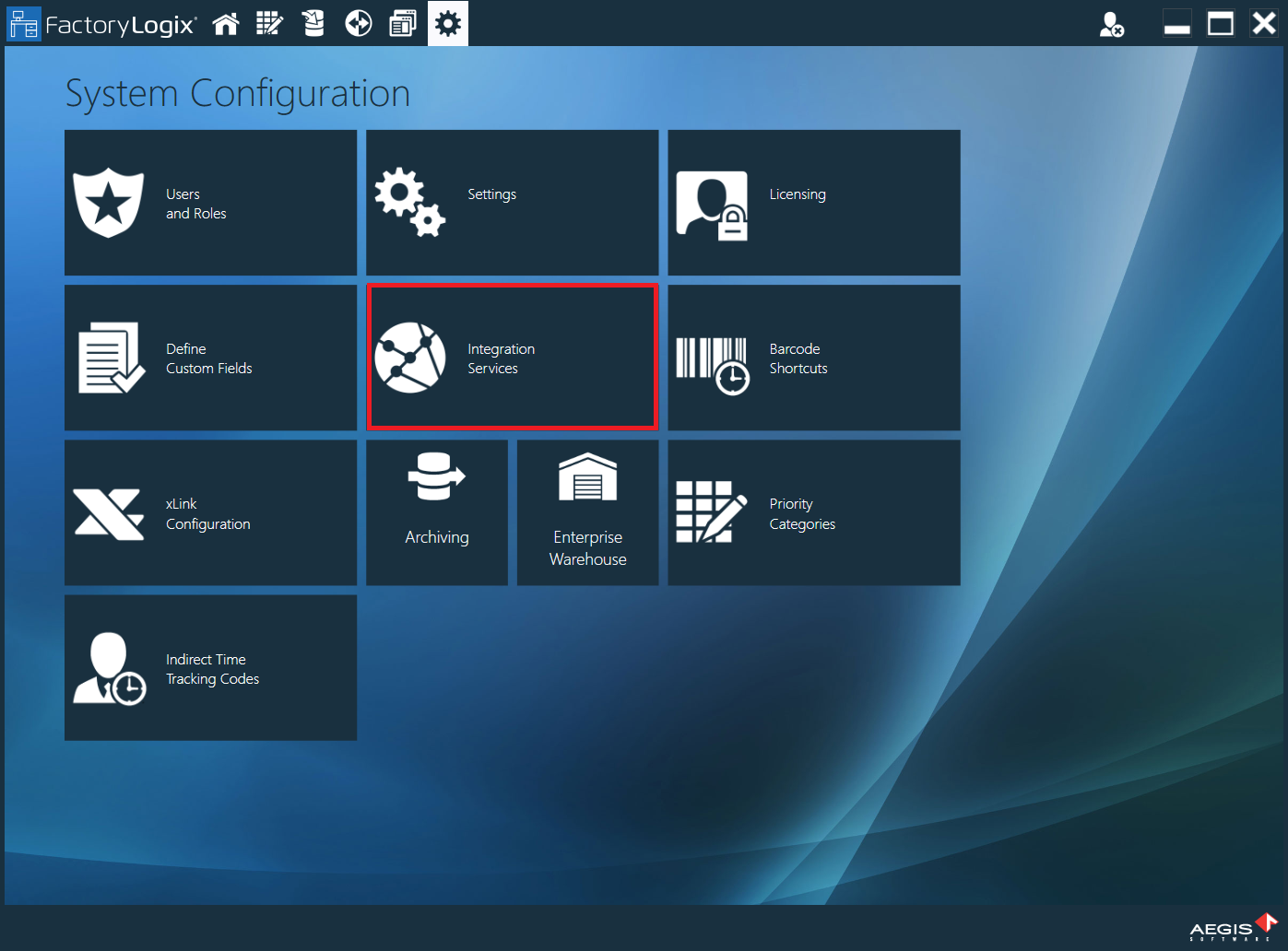
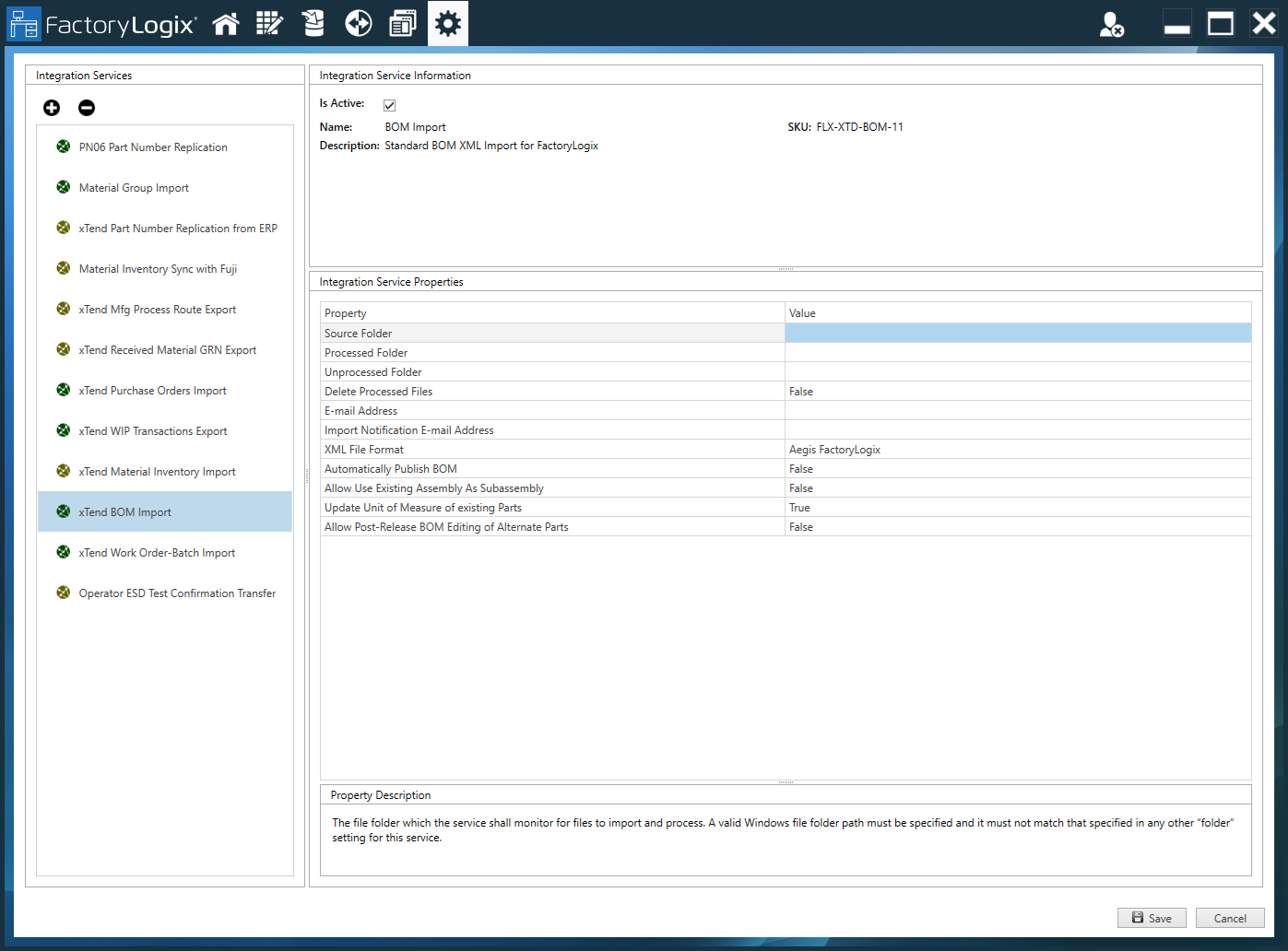
The Integration Services window in FactoryLogix Office is where you manage FactoryLogix xTend integration services.

Note
Each integration service is a paid option you can add to the FactoryLogix system. You can view the available services on the left side of the window. (Note the SKU identifier on the right side of the window for the selected service to provide to Aegis when you place an order.)
Aegis periodically adds new integration services and updates existing services. Check the Integration Services window to see the available integration services.
Add a new integration service
Log into FactoryLogix Office and select System Configuration > xLink Configuration.
Select the Add button, then select Add xLink Adapter.
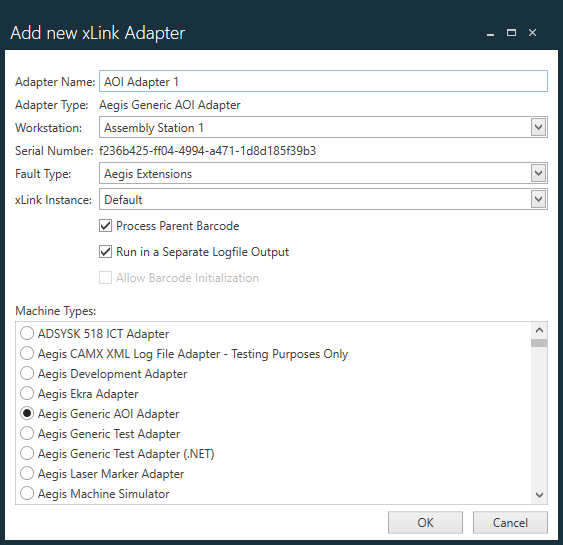
Add the details for the xLink adapter in the fields provided, then select OK.
Configure integration service properties
When you select an integration service in the Integration Services window, the right side of the window displays the properties for the service. The following table describes some of the most common properties for integration services, but it's important to note that each integration service has specific properties that you must configure prior to use.
Property | Value |
|---|---|
Source Folder | Folder where the imported data files will be deposited. |
Processed Folder | Folder where the processed imported data files will be deposited. If no value is provided, the default processed folder will be created under the source import folder. |
Unprocessed Folder | Folder where the unprocessed imported data files will be deposited. If no value is provided, the default unprocessed folder will be created under the source import folder. |
Delete Processed Files | Set to True to delete successfully process files. The default value is False. |
Error Notification E-mail Address | The email address of who should receive error notification. (Leave blank to disable emailing.) |
Treat date times as local | All dates and times are treated as local dates and times. |
Time interval to check for new imports (seconds) | The time interval (in seconds) to check for new imports. |
XML Import Format | The format to be used for XML data importing, for example: Aegis FactoryLogix, Standard Aegis FLX for SAP, Deltek CostPoint, or Auto-Detect. |
Default Stock Location Update Mode | Controls the part location assignment per Default Stock Location value in the import file. Select Part a assignment configuration mode from the drop-down:
|
Create Or Update Attribute Types | Set to True to create or update attribute types. The default value is False. |