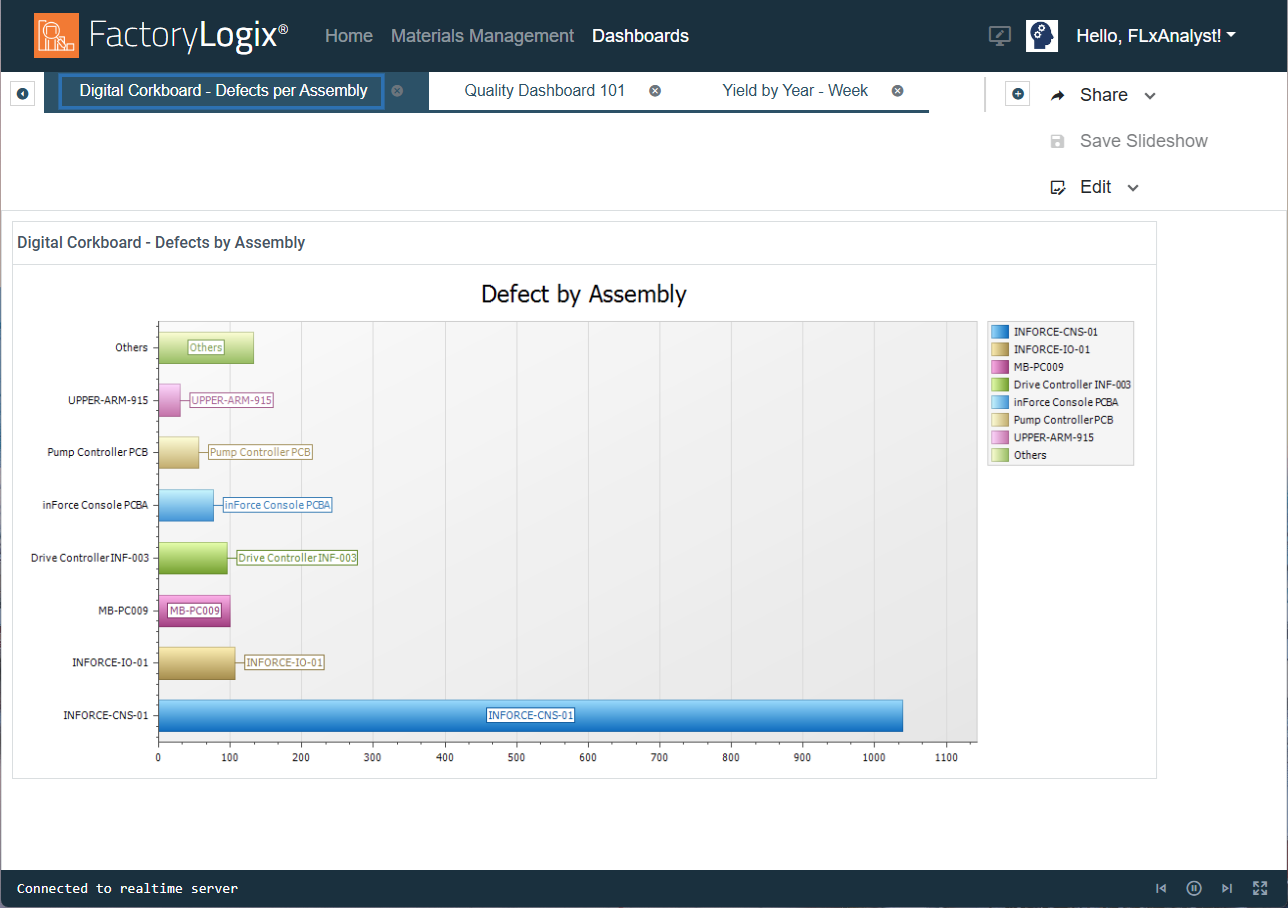
You can quickly create and save a slide show containing multiple dashboards for viewing on the factory floor. For example, you might want to have a slide show containing multiple dashboards related to the same production line. One dashboard might contain production data followed by another displaying defect data, and finally a third dashboard displaying yield data.
-
Log into the FactoryLogix website.
-
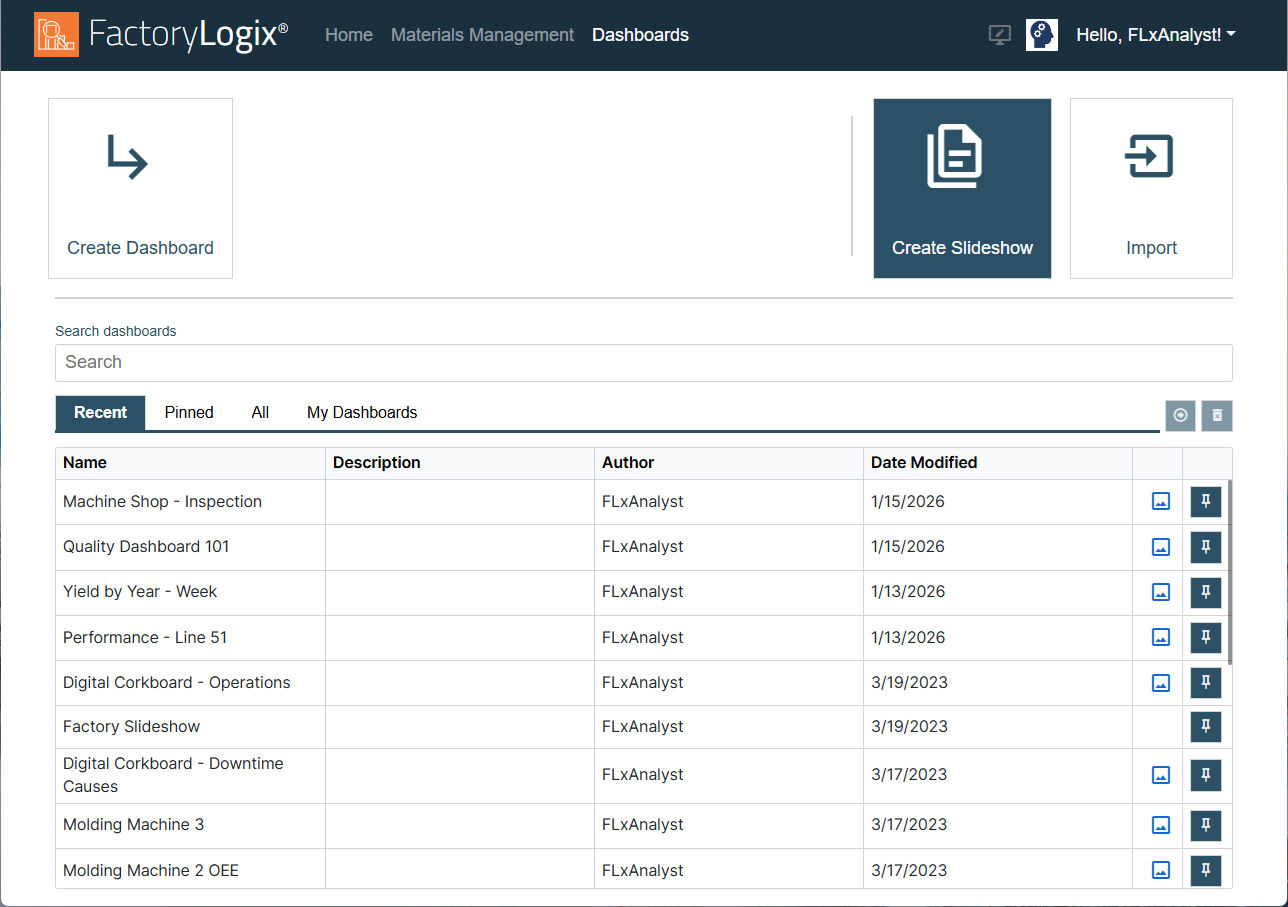
Select the Create Slideshow button on the right side of the window.
-
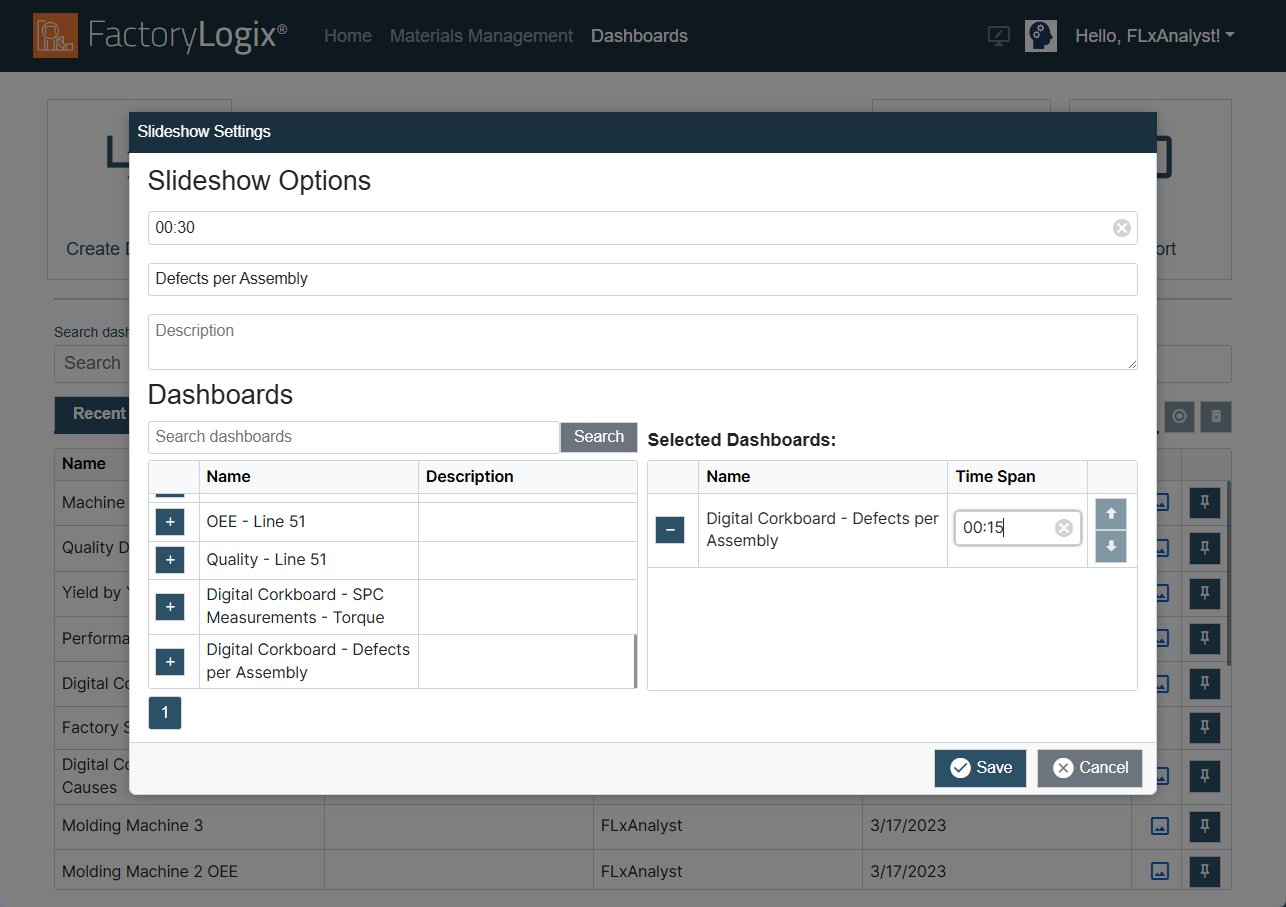
In the Slideshow Options dialog, select the default time (in seconds) for each dashboard to display during the slide show. (30 seconds is the default setting.)
-
Enter a Name for the slide show.
-
(Optional) Enter a description for the slide show.
Note
Although a slide show description is optional, it can be very helpful to others who are looking for specific factory data to display.
-
Under Dashboards, select the Add button (the “+” symbol) to the left of a dashboard to move it under Selected Dashboards on the right side of the dialog.
-
(Optional) Select additional dashboarrds to add to the slide show.
-
(Optional) Under Time Span on the right side of the window, you can override the default display time for each dashboard in the slide show.
-
Use the Up/Down arrows next to each dashboard to change the order of the dashboards in the slide show.
-
Select the Save button to create and run the slide show.
The slide show displays as a collection of tabs across the top of the window. (If there isn’t space to display all the tabs, a drop-down will list all the dashboards in the slide show.)
The slide show connects to the Realtime server and populates the dashboards with live data. The slide show will run continuously until you select the Dashboards link at the top of the screen to return to the Dashboards window.