
administrator on-premise only
Connect the reporting database in FactoryLogix Server Management
-
Open FactoryLogix Server Management (C:\Program Files (x86)\Aegis\FactoryLogix Server\FactoryLogix_ServerManagement.exe).
-
Select Database Connections.
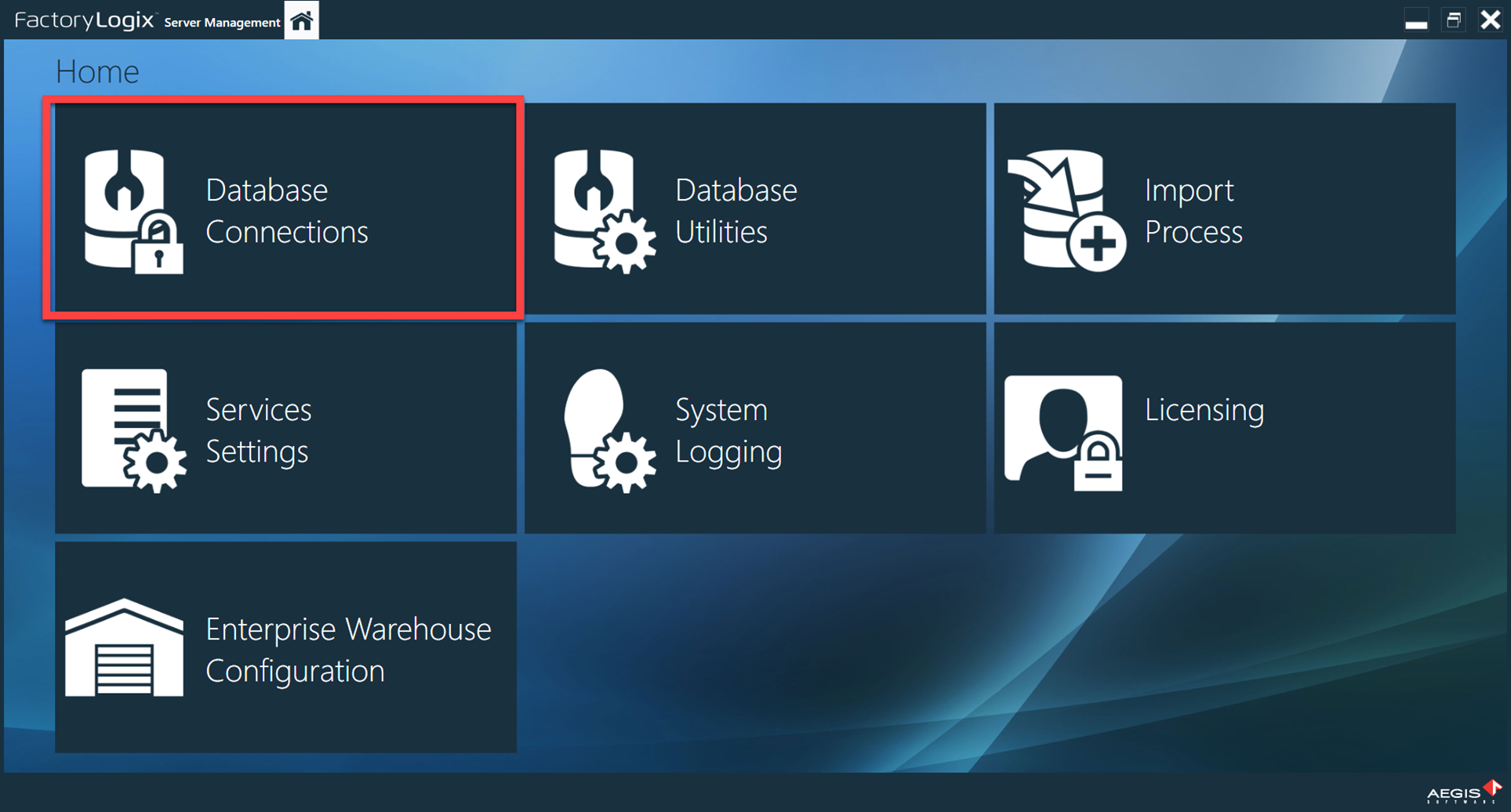
-
Select the FactoryLogix Production Database, then select the Add reporting connection

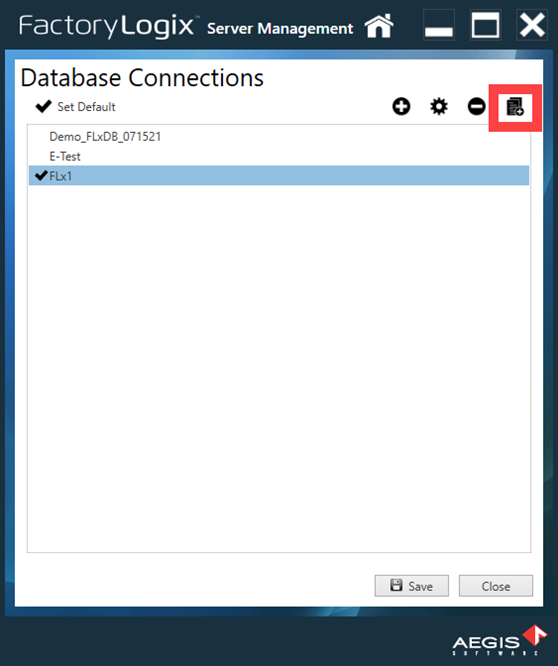
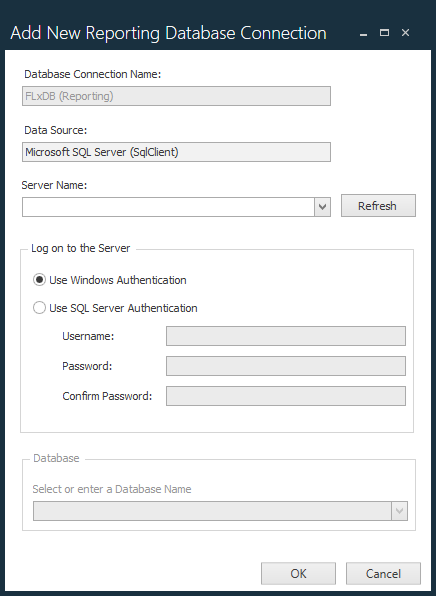
A standard database connection dialog will open.
-
Enter the connection details for the new reporting database you created in the topic Configure SQL transactional replication.
-
Once the reporting database has been connected, the system will append (Reporting) to the end of the connection name.
-
This new connection will be hidden from all other views relating to database connections
-
The Add Reporting Connection button will be dimmed once a reporting connection is made for a Production Database.
-
Important
Only one reporting connection is allowed per Production Database.