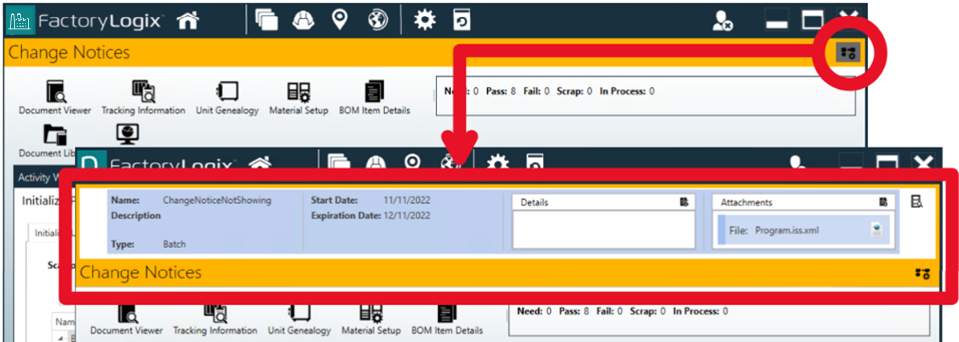
Change notices with attachments
When a shop floor identifies a batch and opens an operation in FactoryLogix Operations, any active change notices for that batch and operation are determined and displayed in a Change Notices panel at the top of the work area. If a change notice has one or more attachments, the attached documents can be read in the Change Notice Document Viewer which is displayed in a separate, modal window by default—blocking all further interactions with FactoryLogix Operations until the operator closes the Change Notice Document Viewer window.
A gobal option controls the document viewer
Using a global option, you can allow operators to open and view change notices and their related attachments during production in a non-modal (that is, moveable) document viewer window—without blocking access to the activity operator interface in FactoryLogix Operations. The non-modal document viewer allows more efficient and accurate unit processing during production cycles that often have deviations/changes and require change notices with attachments.
-
To enable the non-modal document viewer for change notices in production, log into FactoryLogix Office.
-
Select System Configuration

-
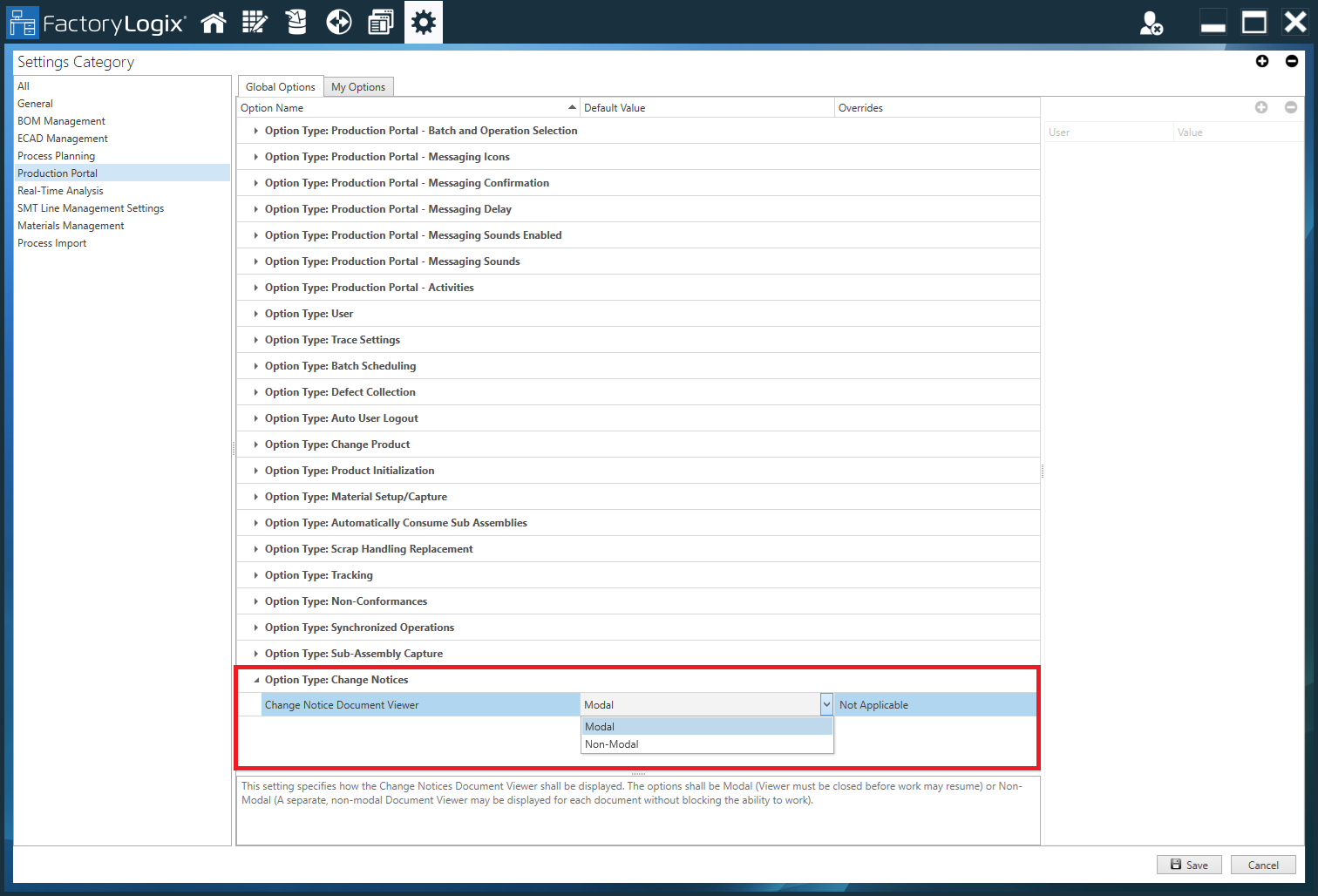
Select Production Portal under Settings Category, then select Option Type: Change Notices.
-
Select Non-Modal from the drop-down, then select Save in the lower-right corner of the window.
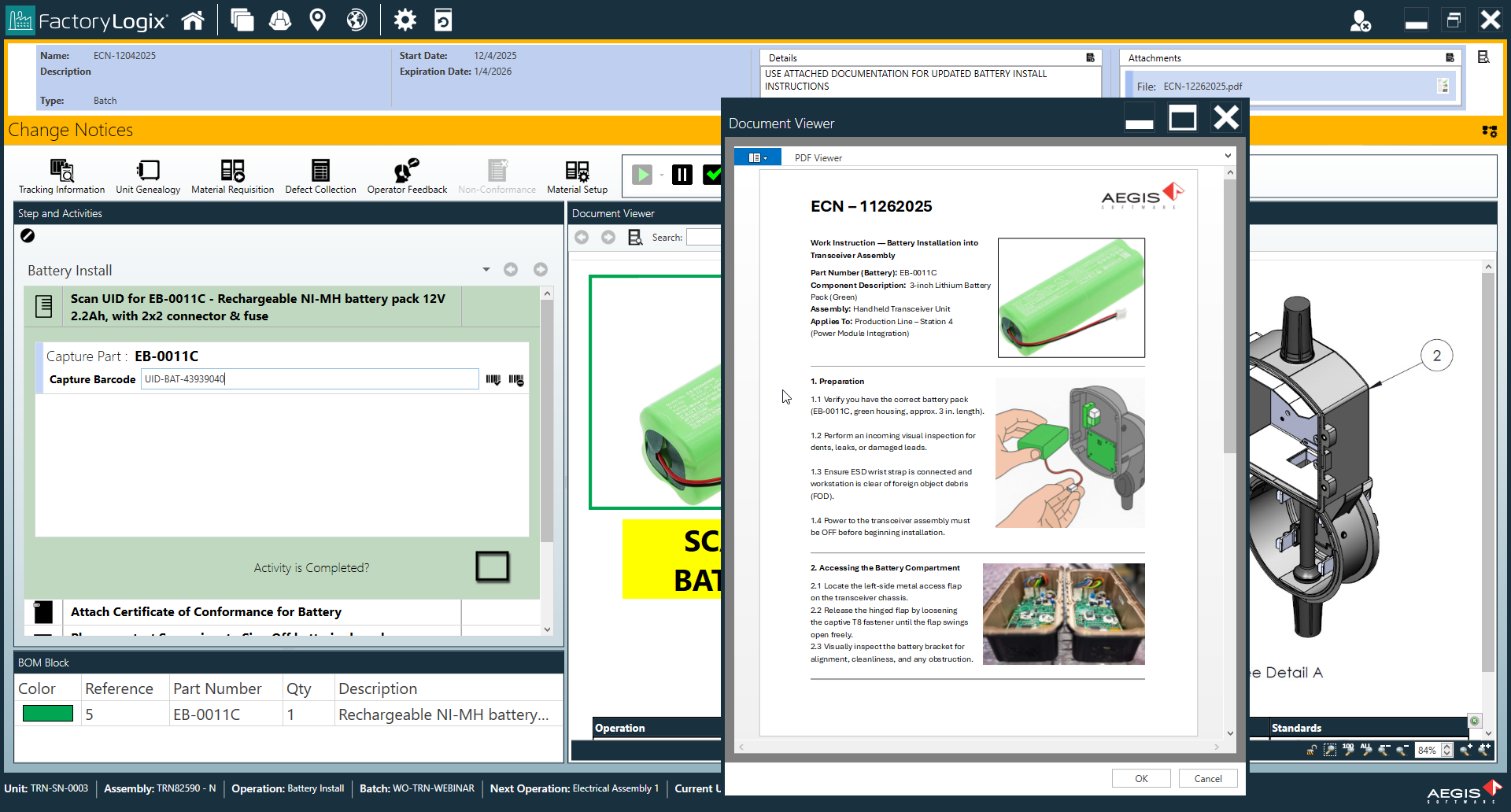
In FactoryLogix Operations, any documents attached to active change notices can be viewed by the operator in one or more non-modal windows without impeding the operator's ability to execute work in FactoryLogix Operations.