Auto start next operation
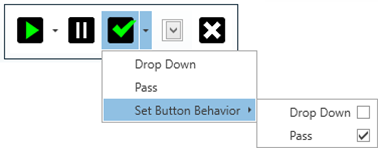
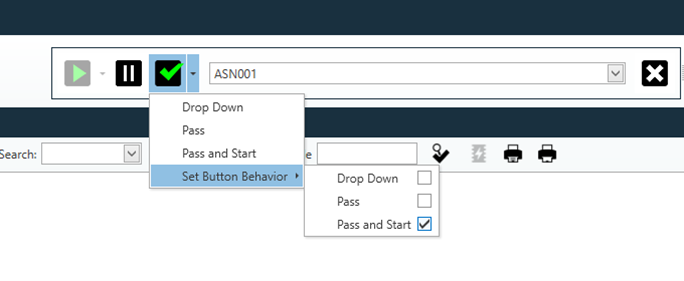
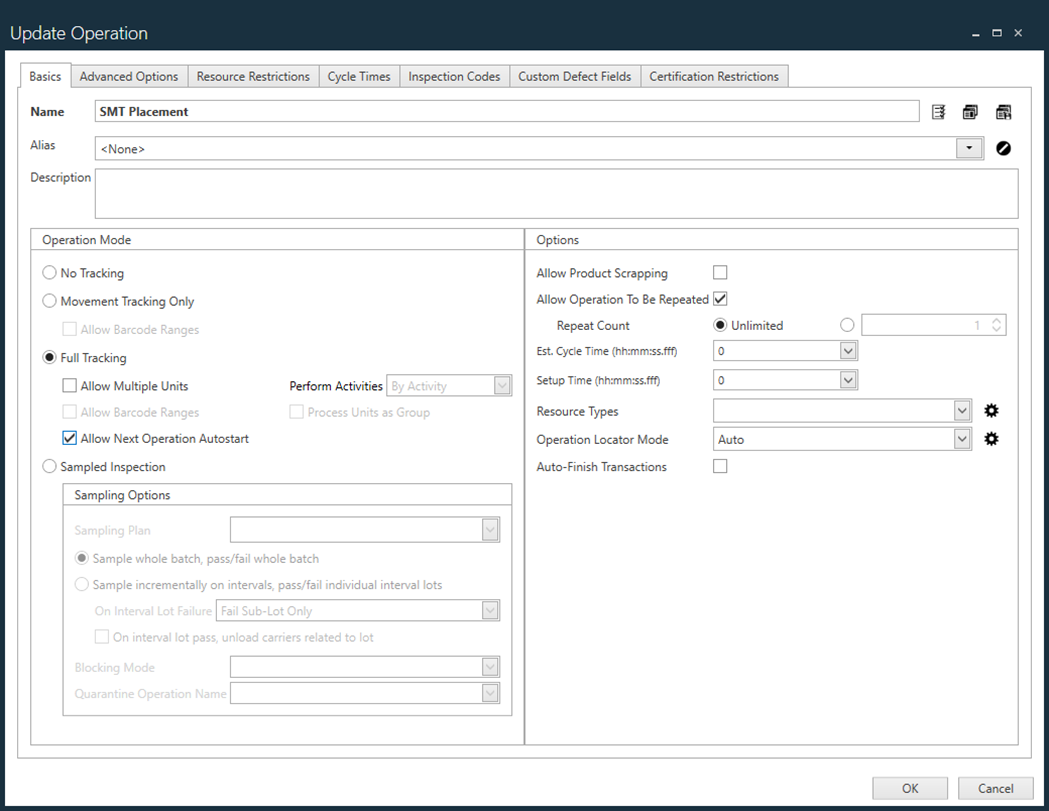
In FactoryLogix Operations, you can set up operations to automatically advance the operator to the next operation when the current operation is passed. This functionality can save operators a lot of time since they won't have to open the operation selector in order to select the next operation manually. When a unit at an operation (the source operation) is finished with a status of Passed, that same unit will automatically be started at the next operation (the target operation).
Since FactoryLogix allows you to define complex production routes, the following must be true for this feature to work properly:
The source and target operations must both be full tracking operations in the same serialized production process flow or in the serialized part of the same hybrid process flow.
If the target operation is not a full tracking operation (a movement only operation, for example), the Pass & Start feature behaves as if the target operation is a full tracking operation—except that no attempt to start any work will be made once the switch to the target operation is completed.
If the operator selects the Finish button, the system attempts to finish all units in WIP with a Passed status and take the default exit pathway to the next operation.
If all units in WIP cannot be finished, the Pass & Start request is terminated and the system behaves as currently implemented.
If all units in WIP can be finished, the Pass & Start request determines the next operation in the defined route when the default exit pathway is taken from the source operation. The system determines the next operation in the process flow.
Operations with no tracking enabled are ignored when determining the next operation. If there is more than one possible next operation because the next operation is in an OR or ANY ORDER grouping or cluster, the Pass & Start request is terminated.

Note
By default, the Pass & Start option is not selected to ensure that there are no changes in behavior for existing process definitions.