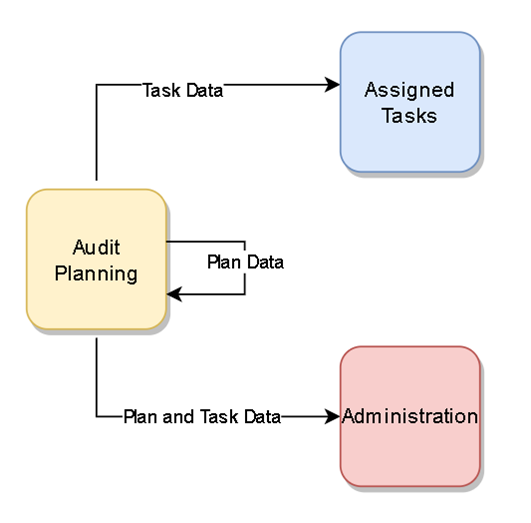
Wenn Sie einen Bestandsprüfungsplan erstellen oder ändern, legt das System die entsprechenden Prüfungsplan-Arbeitsschritte in den jeweiligen Bereichen der Software für alle am Prozess Beteiligten an bzw. aktualisiert diese: die Zähler, Manager und Planer.
-
Registerkarte „Prüfungsplanung“ – Gespeicherte Details zum Prüfungsplan werden in einer Listenansicht angezeigt, damit Planer und Manager den Status verfolgen, den Fortschritt unterbrechen oder den Prüfungsplan bei Bedarf ändern können.
-
Registerkarte „Verwaltung“ – Gespeicherte Details zum Bestandsprüfplan werden in einer Listenansicht angezeigt, die die einzelnen Aufgaben für alle am Plan beteiligten Zähler zur Nachverfolgung und Bearbeitung anzeigt, gefiltert nach dem anzeigenden Manager.
-
Fenster „Bestandsprüfungsaufgaben“ (zugewiesene Aufgaben) – Gespeicherte Details zum Bestandsprüfplan werden in einer Listenansicht angezeigt, die die einzelnen Aufgaben für jeden Zähler zeigt; die Details werden in jeden Aktionsbildschirm übernommen.