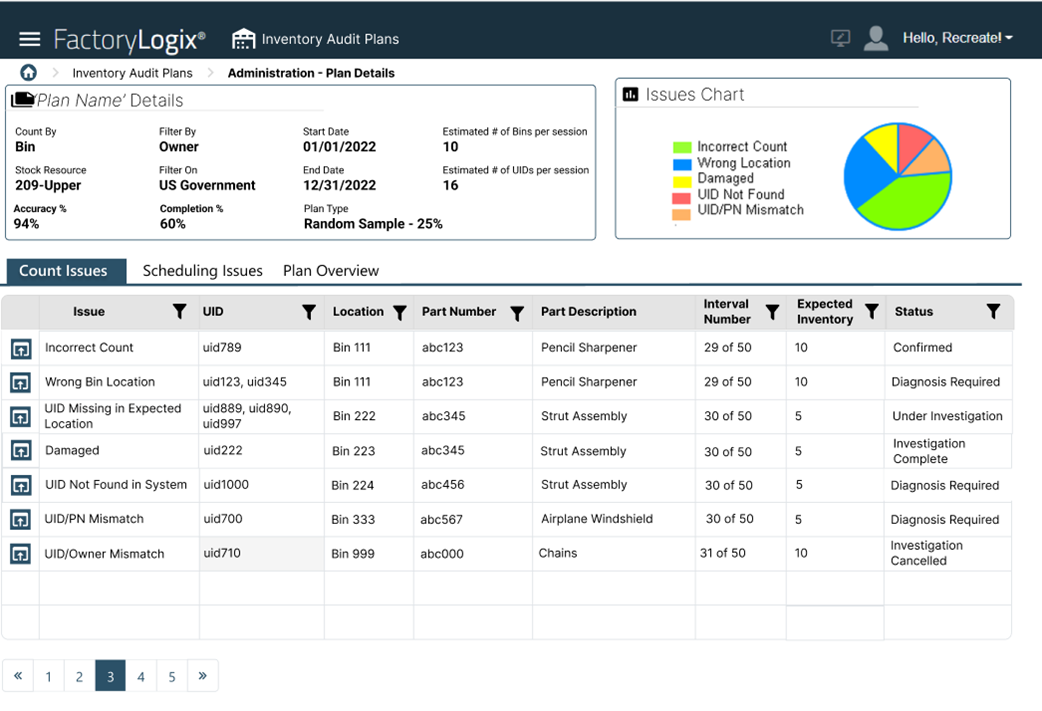
View audit plan details and issues
Each counting task in an audit plan displays accuracy and/or scheduling issues so plan managers can diagnose solutions based on the Assigned Tasks data when compared to the organization’s current inventory records.
Select the Administration tab in the Inventory Audit Plans window.
Select the three vertical dots
 next to the plan you want to open, then select the Open command.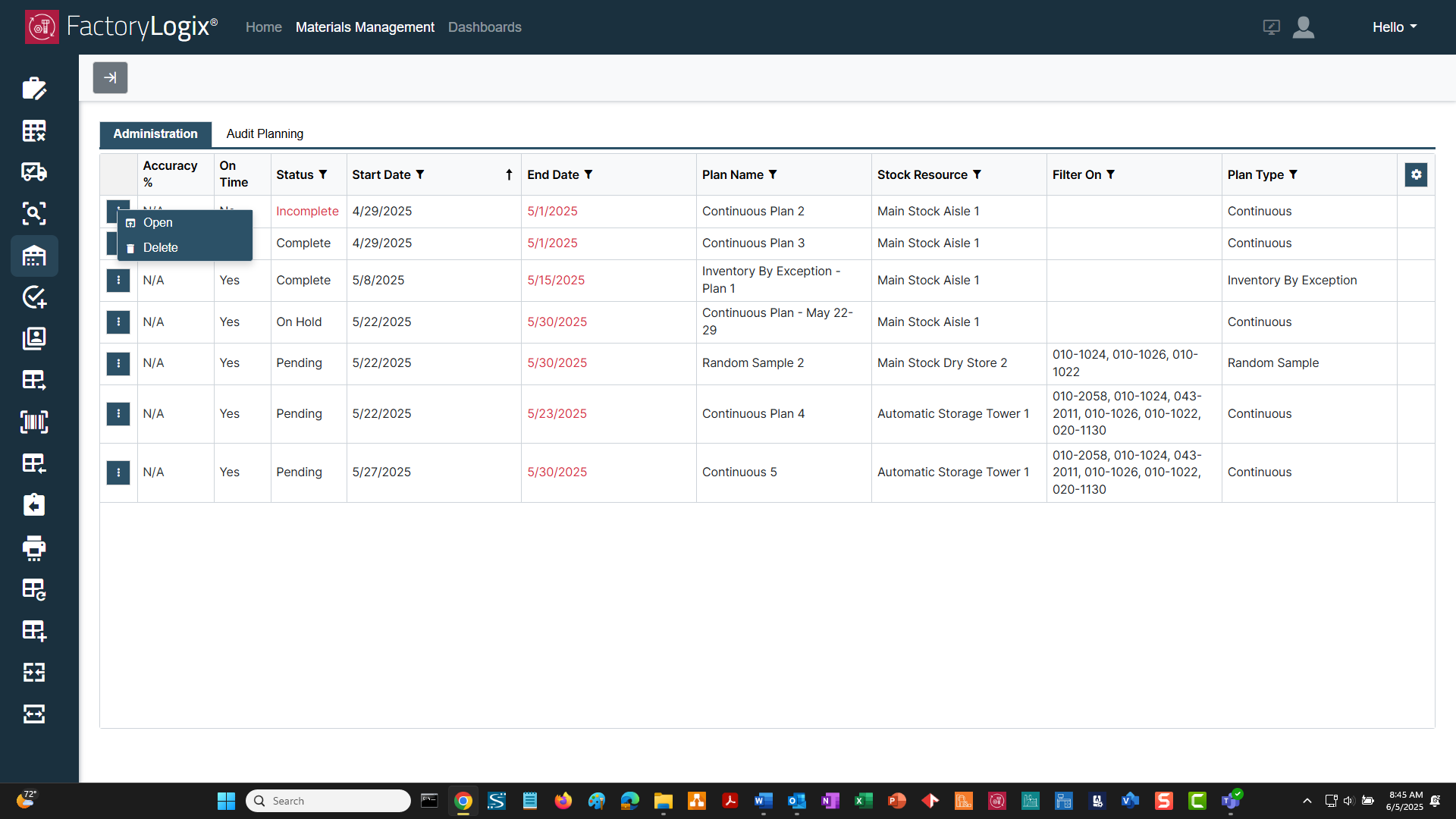
The Plan Details and Issues window displays. Only auditing tasks with count accuracy or scheduling issues are displayed in this view. See Plan Details and Issues for more information.