
Reset the AegisAdmin user password
ON-PREMISE ONLY
The AegisAdmin user account is required to assign named licenses to each FactoryLogix user. If you don’t have the password for the AegisAdmin user, another user with the Administrator role must reset the password for AegisAdmin. (These steps must be performed before switching to named licenses.)
At any workstation, launch the FactoryLogix Office from the desktop or a Start menu shortcut.
Log in using any user account that has the Administrator role.
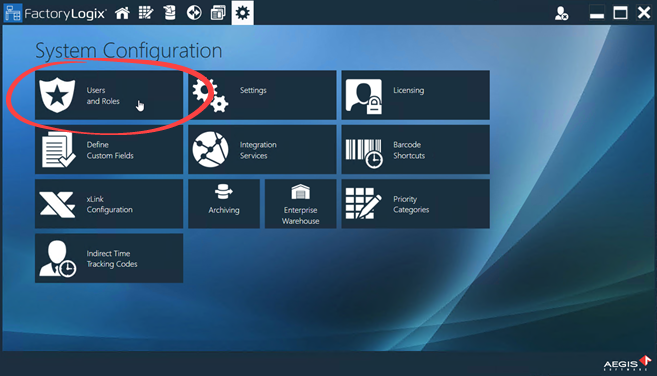
Select System Configuration > Users and Roles.
Select the AegisAdmin user and delete the value in the Password field.
(Alternatively, you can set a new password here.)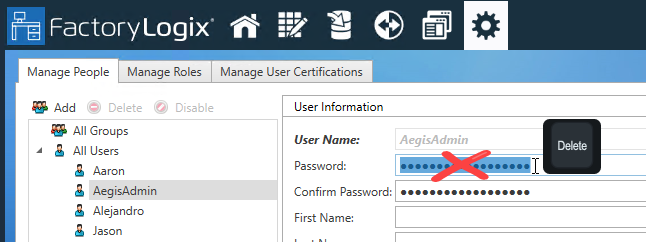
Select Save in the lower-right corner of the window.
You can now use the AegisAdmin user account to log in.