Make key chart adjustments
There are several instances when data presented by a system value report may requires adjustments; as the only report element with links to data are the included charts, it is important to understand how the charts are configured to allow for these adjustments.
Scenarios requiring adjustments
Creating a new value report
Adding a new chart to an existing report
Removing/adding a criteria element as a chart series
Adjusting the chart argument

Important
Grouping and summary fields are required in the data set to drive the resulting chart arguments. Each chart has its own data set in the workbook grouped for the chart argument requirement where each data set in the workbook uses the same base criteria.
Adjust the data set in a workbook
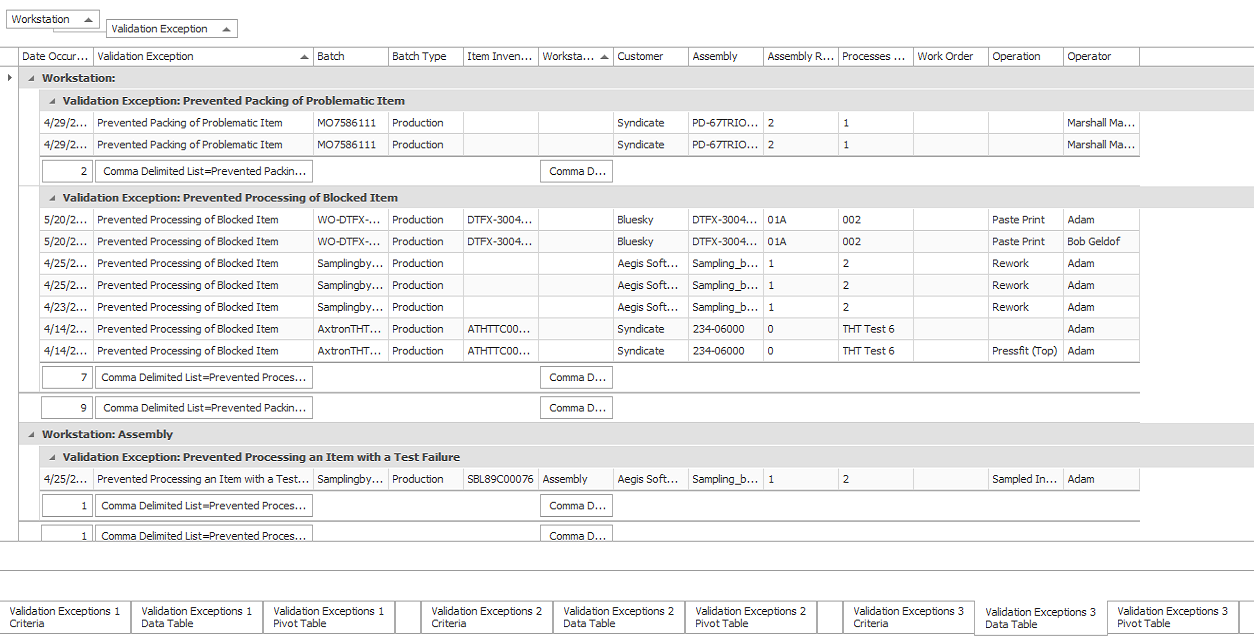
To adjust an existing charts argument or create a new chart, you must first adjust the data set in a workbook:
Arrange data set grouping first by argument field and then by the criteria type (validation exception and alarm types).
Place comma-delimited lists under the argument field and criteria types.
Place a count under any appropriate non-reported field to drive chart value.
Open a report in the chart designer for editing
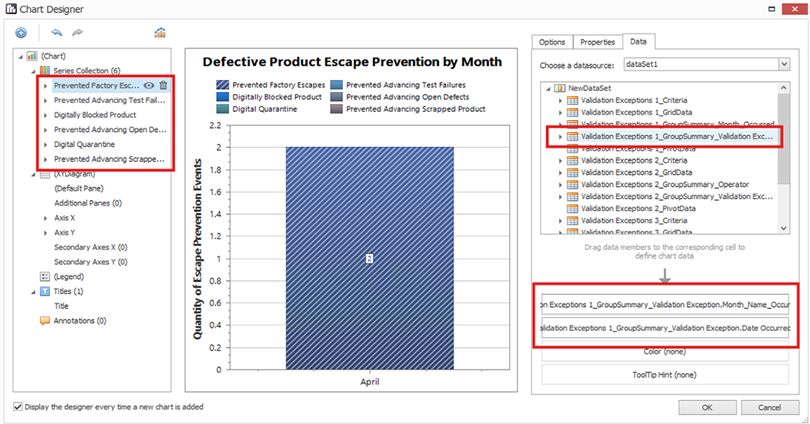
When you open the reports chart designer for the chart to be edited, notice the following:
Each validation/alarm criteria is represented by an individual series.
Each series uses the same argument and value members drawn from the same data set.
Add/remove series to present the desired validation/alarm type criteria.
Argument and value members are taken from the data set preparation noted earlier in this topic.
Filters must be placed on each series to ensure that only data relevant to the specified alarm/validation type criteria is displayed.
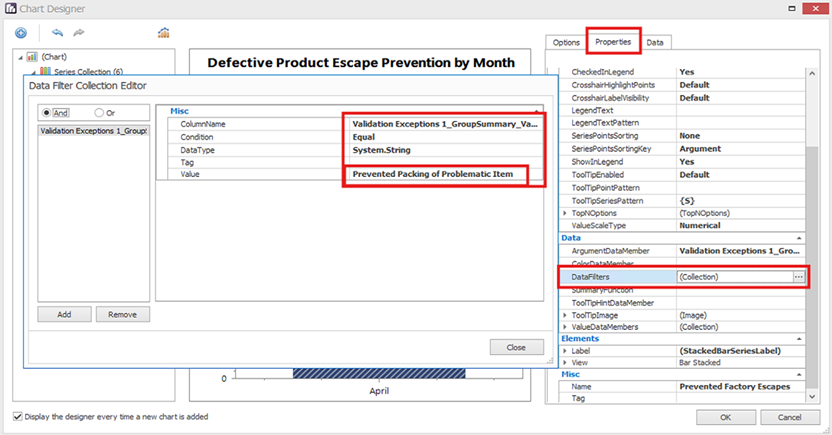
For each series, select the Properties tab and the data filters.
For the column name, select the column containing the alarm/validation type from the chart data set.
Set the condition to equal and the data type to string.
Enter the value to filter for (this must be a case sensitive match to the specific alarm/validation criteria required for the series).