
Counting tasks: Inventory By Exception
For audit plan types Inventory by Exception, the assigned tasks for counters operate differently than scheduled plans (Continuous and Random Sample plans).
When the counter is performing a material movement and the properties satisfy those defined in the Inventory by Audit type plan, a message alerts the counter that an inventory count is required and displays a screen for the counter to enter count results for the bin.
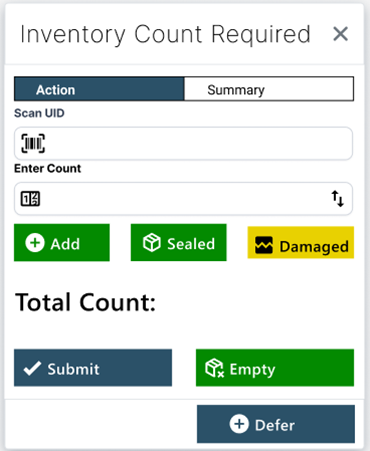
Athough the preferred scenario for Inventory by Exception is for the counter to perform the count immediately after a material movement, the system does allow for situations where a count might not be possible right at that moment.
The Defer button gives the counter the ability to postpone the count. This action causes the task to go into the counter's queue as a priority task. The Additional Counts Time Period from the plan set up is applied to the time this task was triggered to render a Complete By date for the task in the counter’s queue.
If a count mismatch occurs during a counting task, the process continues as it does for a scheduled audit plan counting process (a priority re-count task is created and assigned to a different counter associated to the plan to verify the results).