Use the Global Text Library
Introduction
FactoryLogix Office includes a customizable Global Text Library that you can utilize in steps (visual aids), activities, and email approval templates. You can access the Insert Global Text command in these areas of FactoryLogix Office:
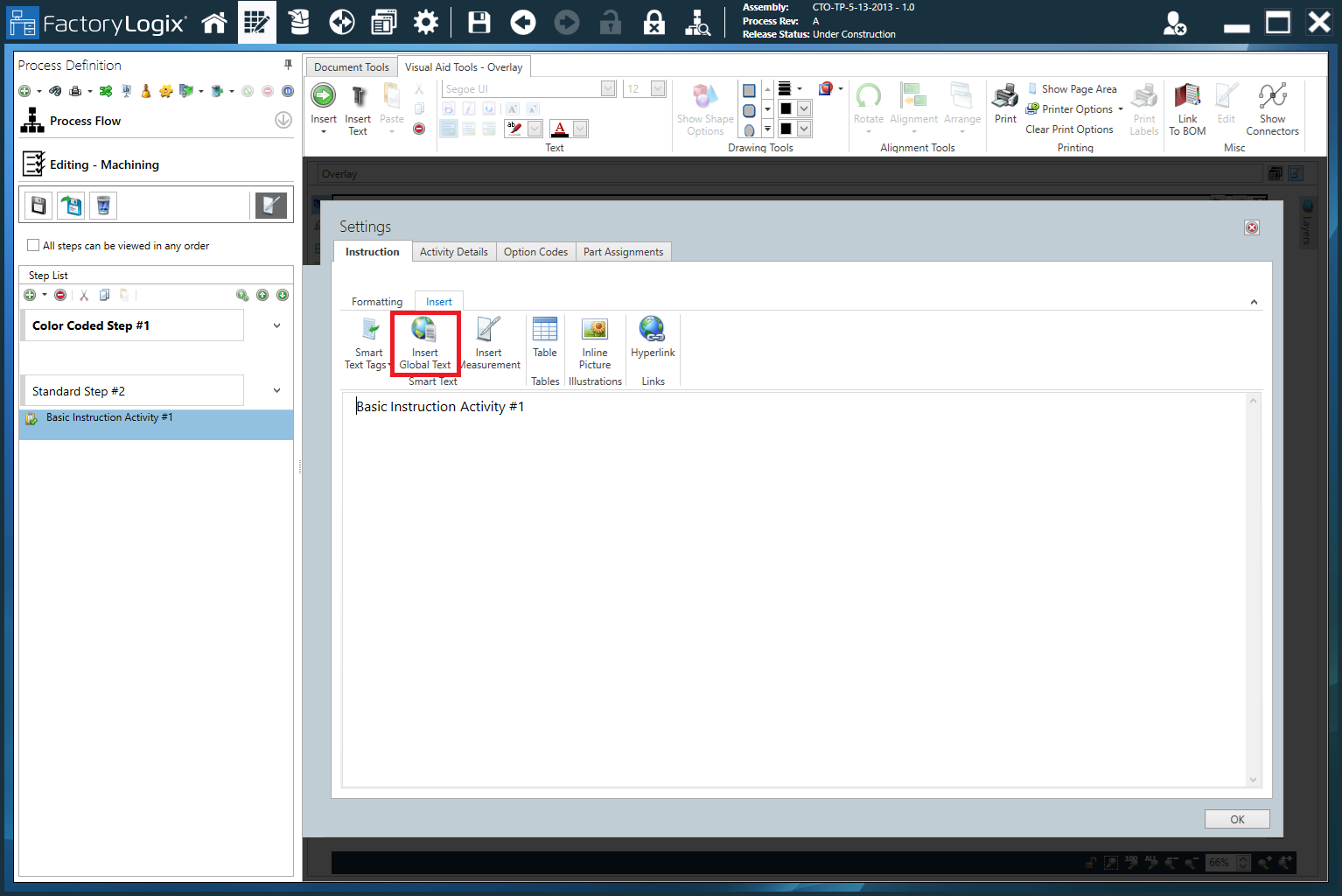
The Insert Global Text command in the Settings dialog (Instruction tab) for an activity.
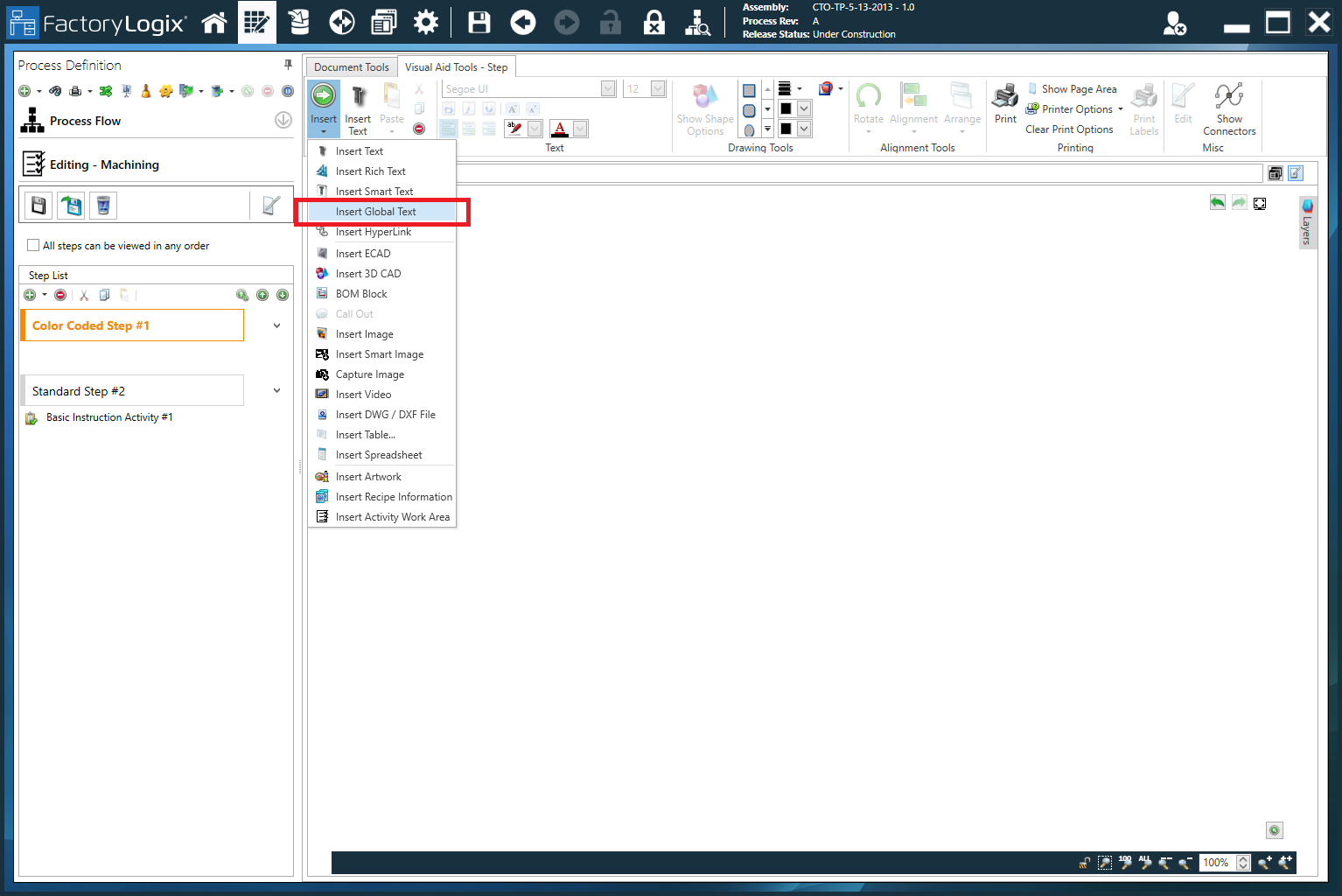
The Insert Global Text command on the Visual Aid Tools tab for a step or overlay in the Process Definition window.
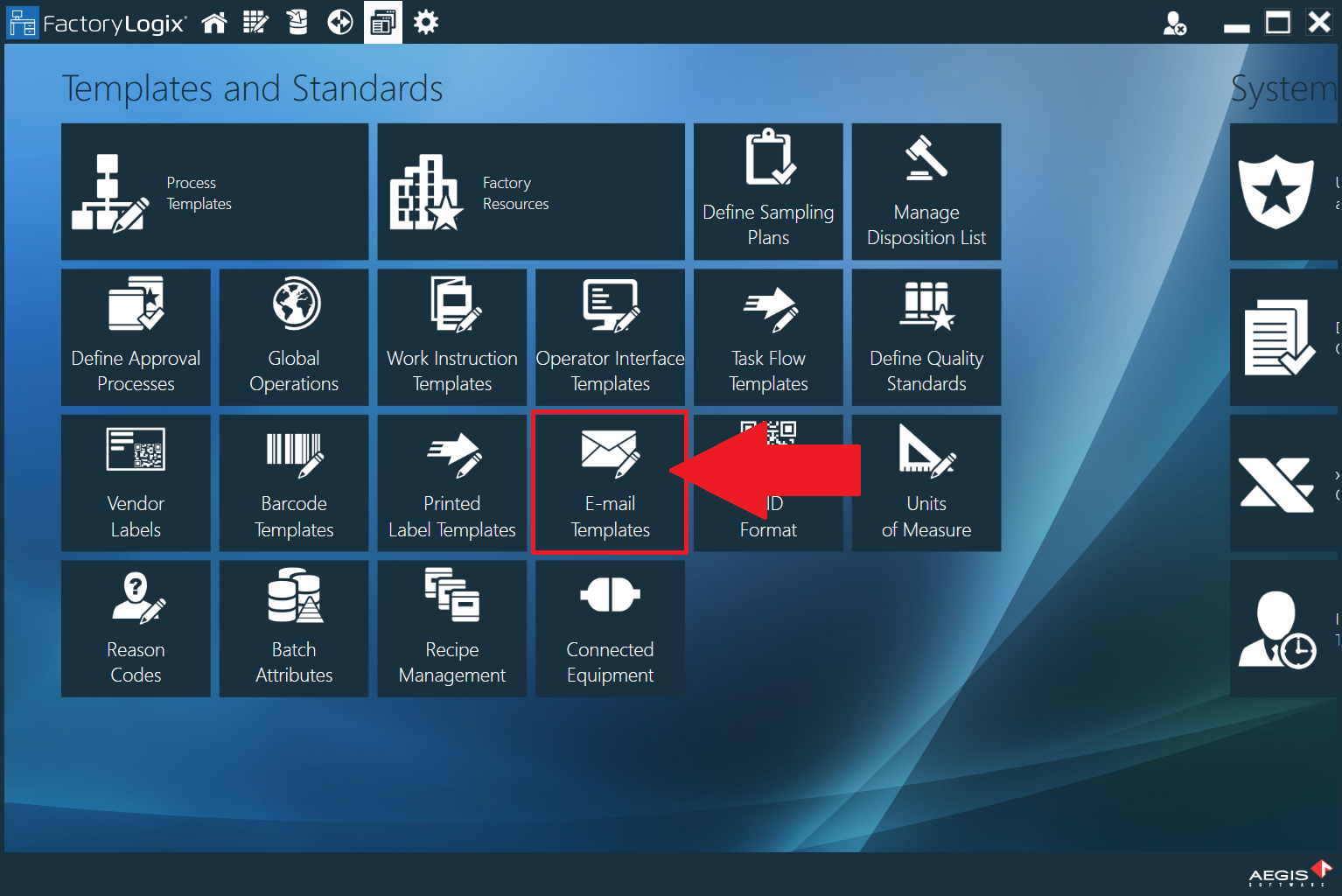
The Insert Global Text command on the Insert tab in the E-mail Templates window (FactoryLogix Office > Templates and Standards > E-mail Templates).
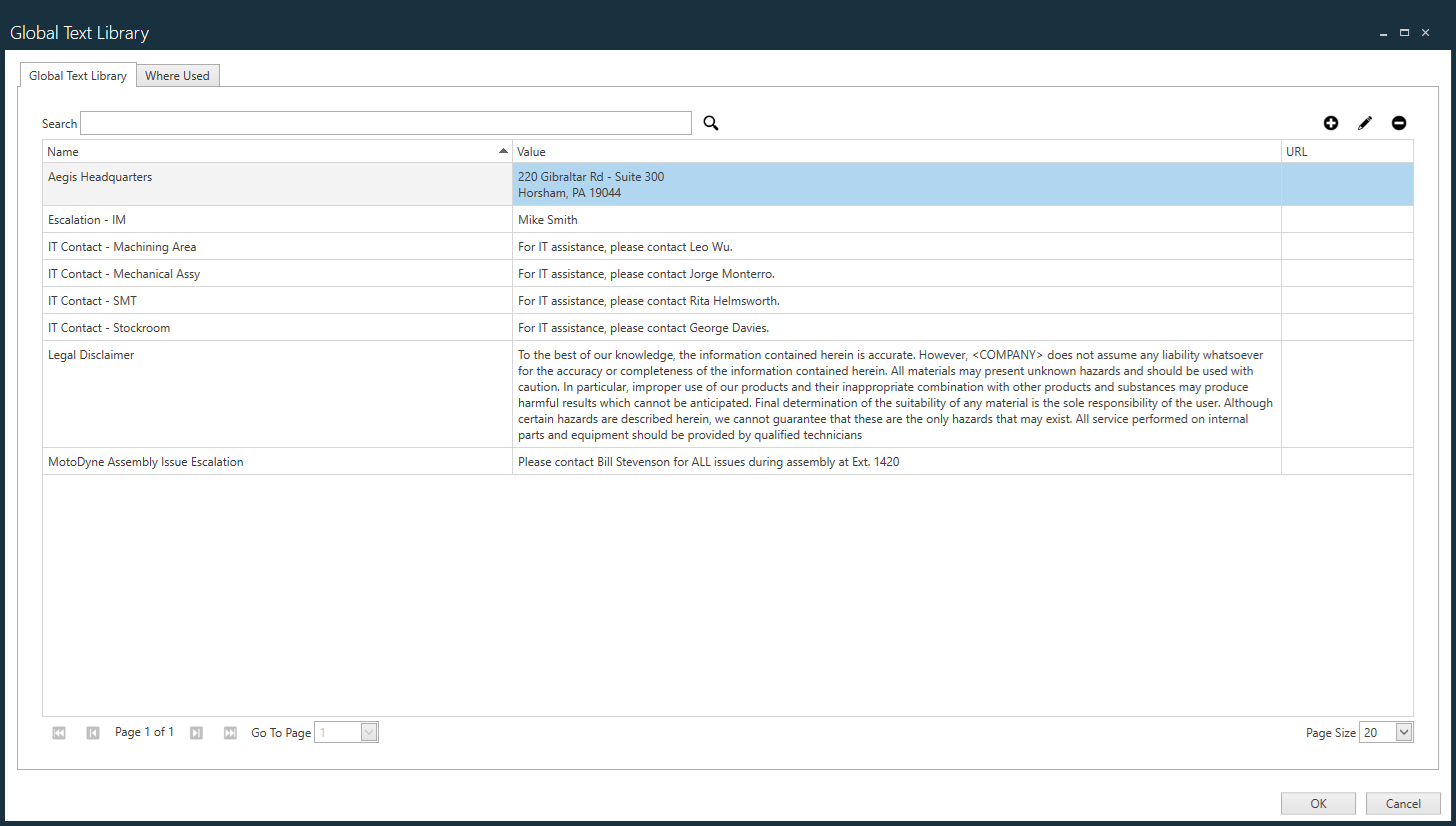
The Global Text Library window
On the Global Text Library tab, use the Add
 , Edit
  , and Delete
  buttons on the right side of the window to create and manage global text entries.
If your Global Text Library is very large, use the Search bar to search for specific entries.
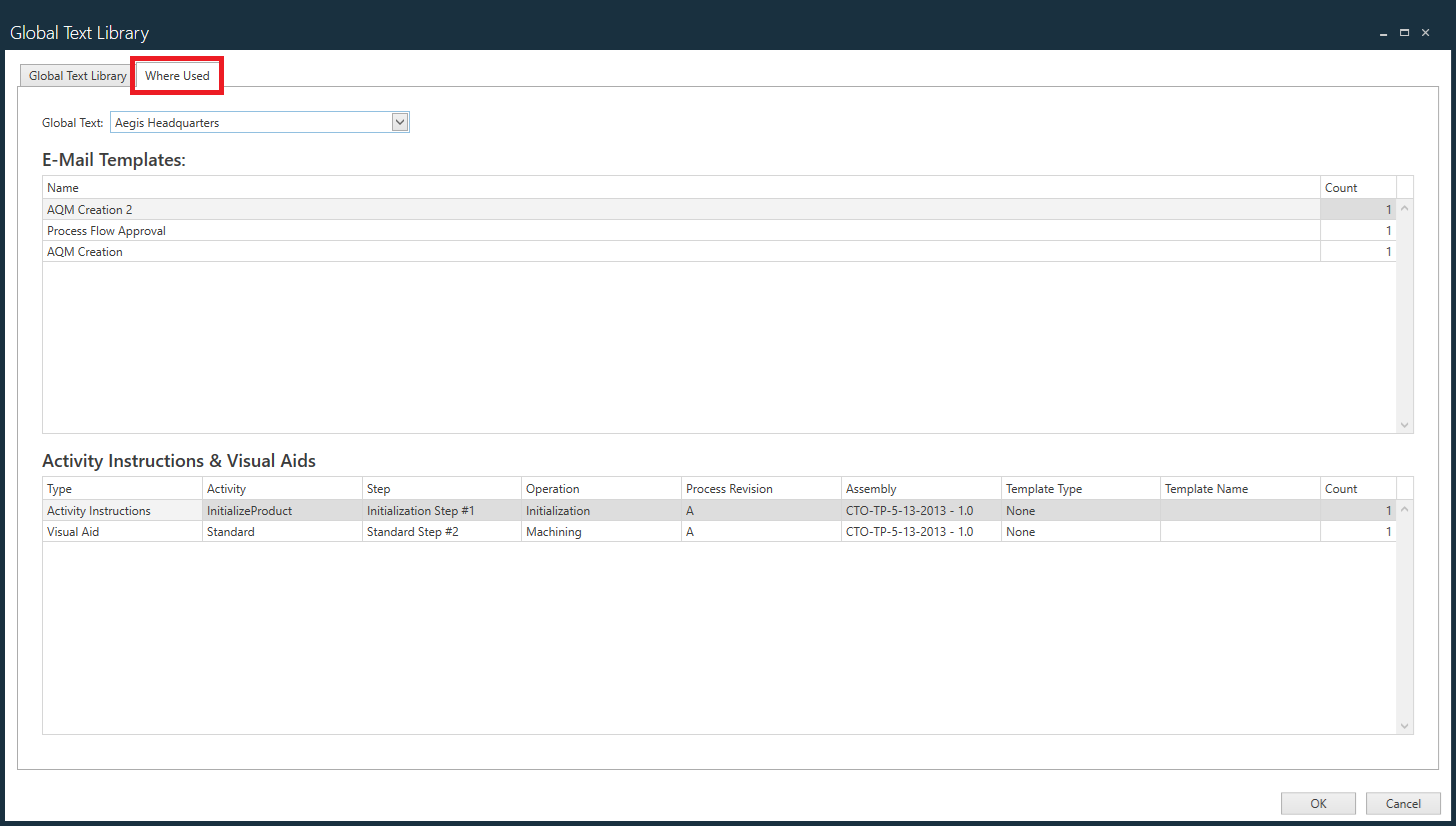
Select the Where Used tab, then select a global text entry from the Global Text drop-down to view the email templates and/or activity and instructions and visual aids where the global text entry is currently in use.