
Use product groups in production planning
Introduction
Product groups in FactoryLogix allow production planners to associate scheduled batches with the materials required to kit those batches.
A product group is useful when material from a previously completed or partially completed batch is still available for reuse. Instead of issuing all new material for the next batch, planners can associate existing active material that is not currently in stock with the same product group. This allows the system to account for reusable material during kitting and reduces unnecessary material issuance.
How to create a product group
You create a product group in the Reason Codes Editor window. See Add, delete, and manage reason codes for more information.

Important
The Product Group option only displays in the Edit Appointment dialog when the planner schedules a batch or batch group. The option is only selectable if the Product Group reason code category in the Reason Codes Editor window contains one or more values—otherwise, it is hidden. The default value is None (other values come directly from the Reason Codes Editor where you define product groups).
Product groups - workflow
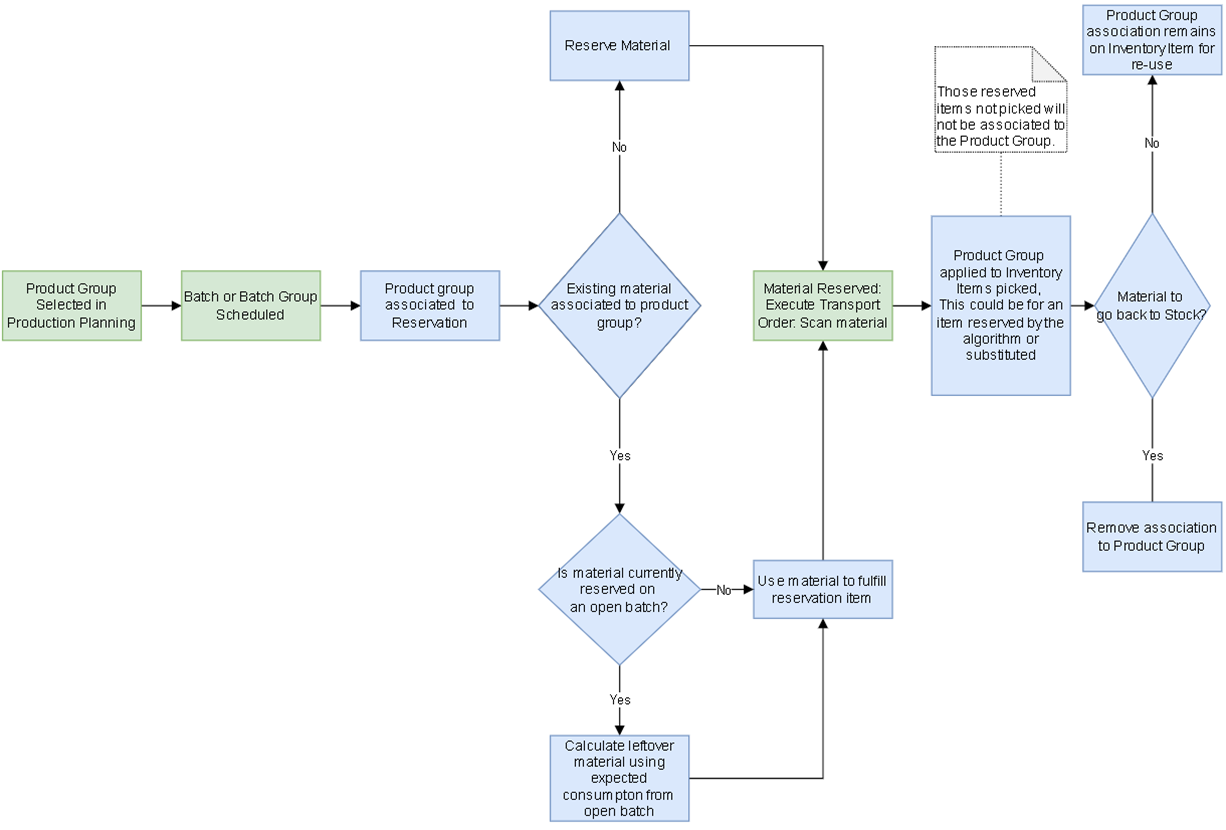
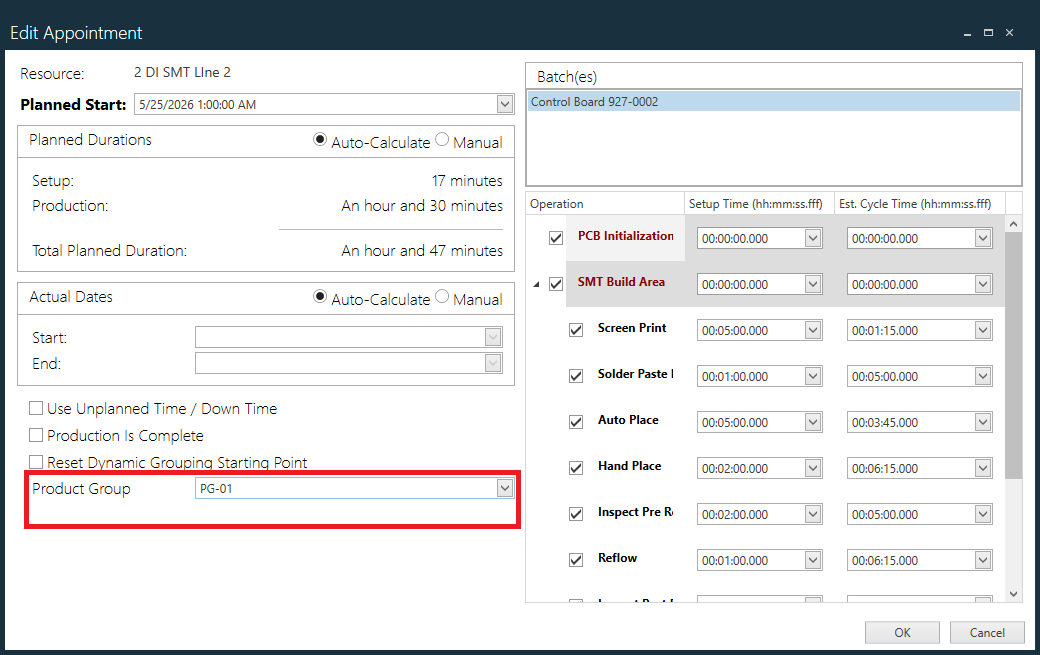
When a user selects a product group from the list populated by reason code entries, any scheduled batch or batch group creates a reservation item linked to that product group. Because the items actually picked can differ from those selected by the reservation algorithm, assigning the product group at scheduling keeps a link from the reservation to the scanned items that fulfill it.
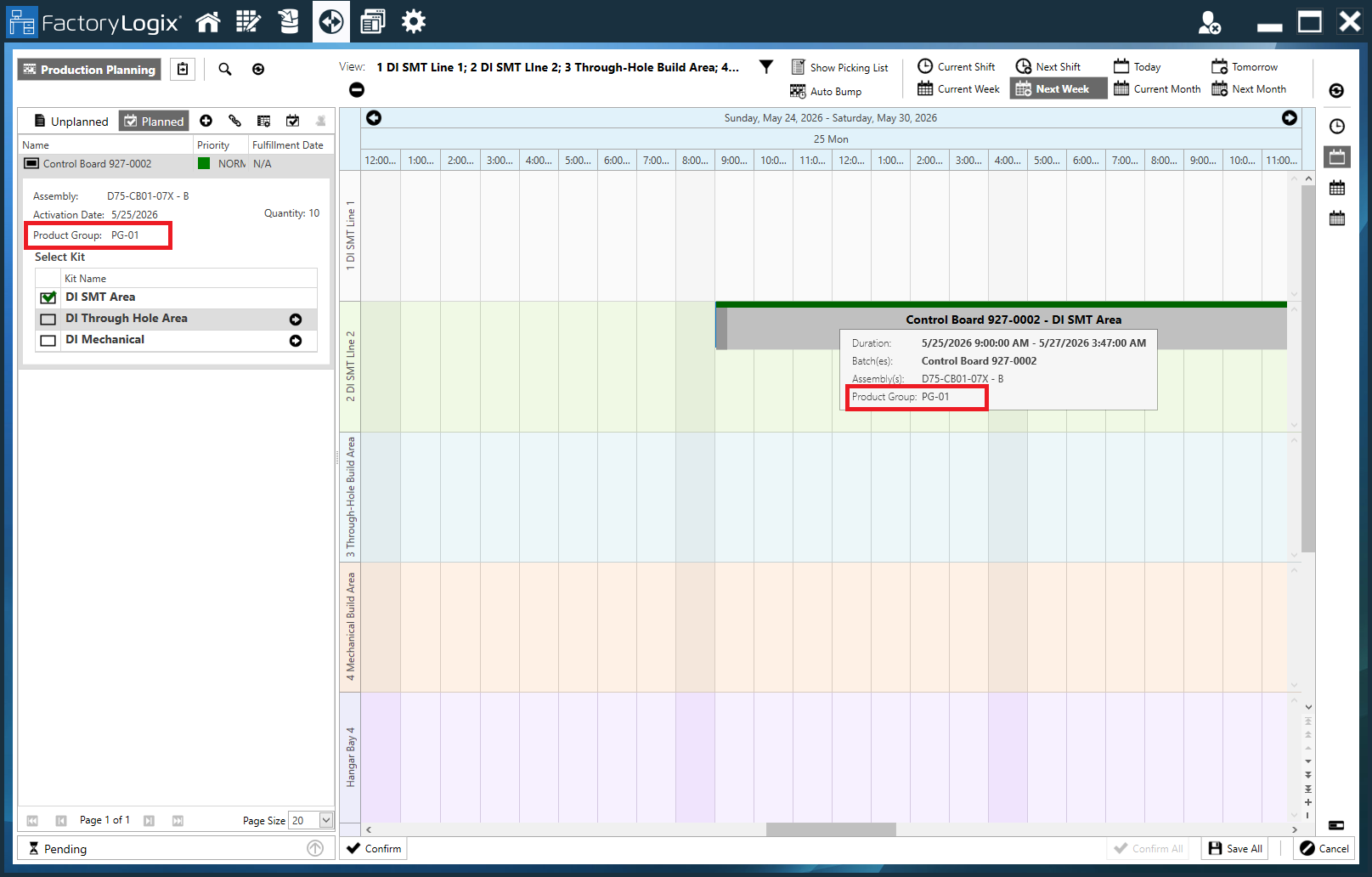
When a product group is associated with a scheduled batch or batch group, its name appears on the schedule bar when you hover over it and in the planned batches list on the left side of the production planning window.
When planning a batch or batch group within a product group, the system searches for inventory items linked to that group. If matching inventory exists, the system uses it to fulfill reservation items.
Because planning can occur while previous batches in the same product group remain open, the reservation system considers those open batches. If an inventory item belongs to a previously-scheduled open batch with the same product group, existing consumption for that item factors into the excess material available for the new batch.

Warning
If you remove a product group item from the Reason Codes Editor, the system deletes all related associations.
Related topics |
|---|