
Supported FactoryLogix software versions
ON-PREMISE ONLY

Warning
Subscription/named licensing requires a minimum FactoryLogix software version of 8.244.0. If your FactoryLogix software does not meet this requirement, no users will be able to log into any FactoryLogix application.
Check your FactoryLogix software version
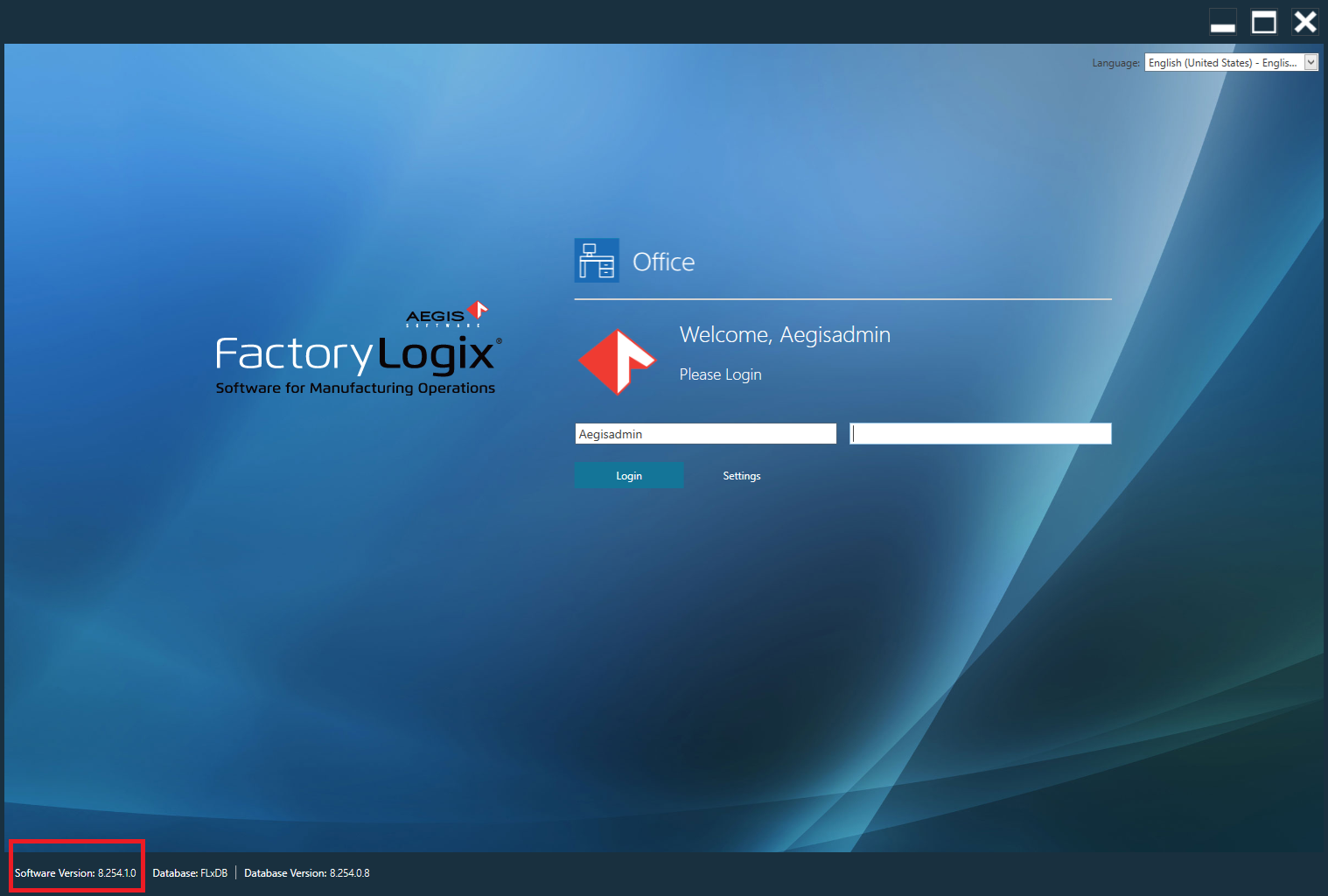
Launch any FactoryLogix application (FactoryLogix Office, Analytics, or Operations, for example) via the desktop or a Start menu shortcut.
Look for the Software Version in the lower-left corner of the Login window.
Subscription licensing - version compatibility error
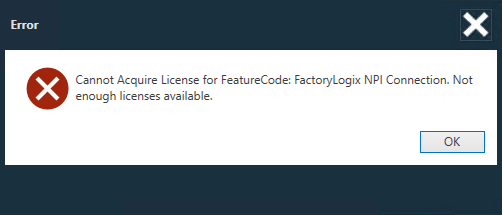
If a subscription model license is activated in an environment with a software version earlier than 8.244.0, you will see the following error when attempting to log in to a FactoryLogix client:
Cannot Acquire License for FeatureCode: FactoryLogix <client name>. Not enough licenses available.
If you see this error message, you must upgrade your FactoryLogix software to version 8.244.0 or higher.
FactoryLogix upgrade procedure
If you determine that your environment must be upgraded to FactoryLogix version 8.244.0 or higher to use subscription licensing, please review the following information before proceeding with the upgrade:
Item | Description |
|---|---|
Aegis Support Gateway | The Aegis Support Gateway is where all FactoryLogix installers and documentation is available. Please notify an Aegis representative if you require assistance with accessing the Support Gateway. |
FactoryLogix installers download |
|
FactoryLogix upgrade documentation on this site |
|