
Modify an inventory audit plan
As an audit plan manager, you can modify an existing audit plan on the Administration or Audit Planning tabs.
Create a new plan
Create a new plan - Select the Add
 button in the upper-left corner of the grid (Audit Planning tab only).
Open or delete an existing plan
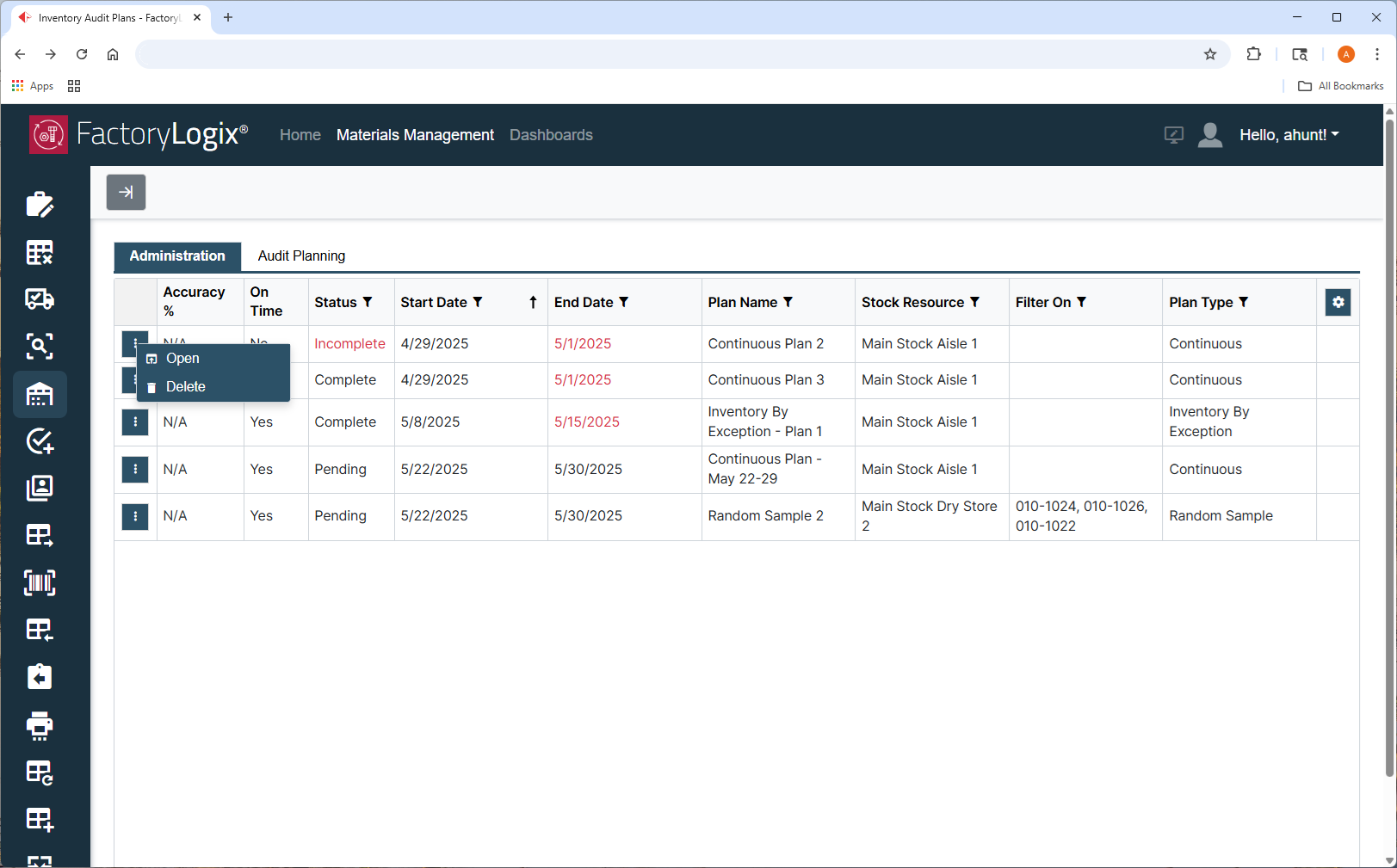
Select the three vertical dots  button, then select the desired plan modification:
Open an existing plan – Select the Open command. When you open a plan (Administration tab only), you can view plan count issues, scheduling issues, or the plan overview and status.
Delete a plan - Select the Delete command.
Edit, duplicate, hold/release hold
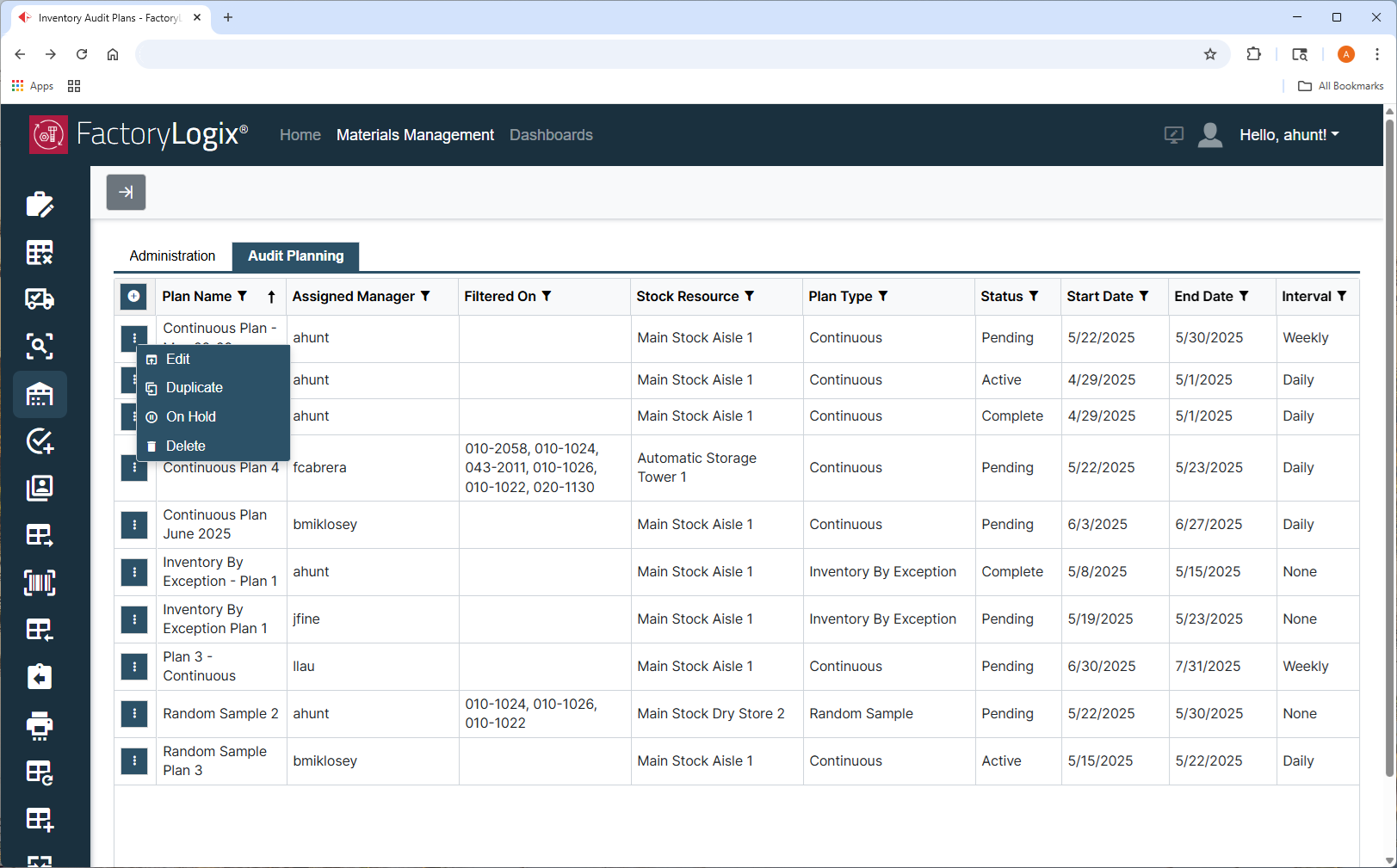
Select the three vertical dots button, then select the desired modification (Audit Planning tab only):
Edit an existing audit plan - Select the Edit command.
Duplicate an existing plan - Select the Duplicate command.
Put a plan on hold - Select the On Hold command.
Release a plan from hold – Select the Release Hold command to release a plan that has been put on hold.

Note
You must have the global option Enable/Release Audit Plan Hold enabled in FactoryLogix Office Settings to put audit plans on hold or release them from a hold.