Manage IPN logistics
The Materials Management tab in the Part Library window is used to manage material handling for IPN electronics parts.
Log into FactoryLogix Office.
Select Libraries
 > Part Library.
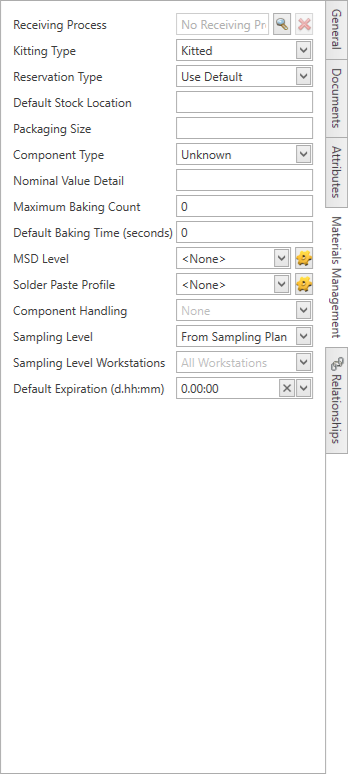
On the Internal Part Number tab, select an Internal Part Number, then select the Materials Management tab on the right side of the window.
Specify the Materials Management options for that part (see the following table for details about Materials Management options).
Select the Save button at the bottom of the window.
Materials Management tab options
Item | Description |
|---|---|
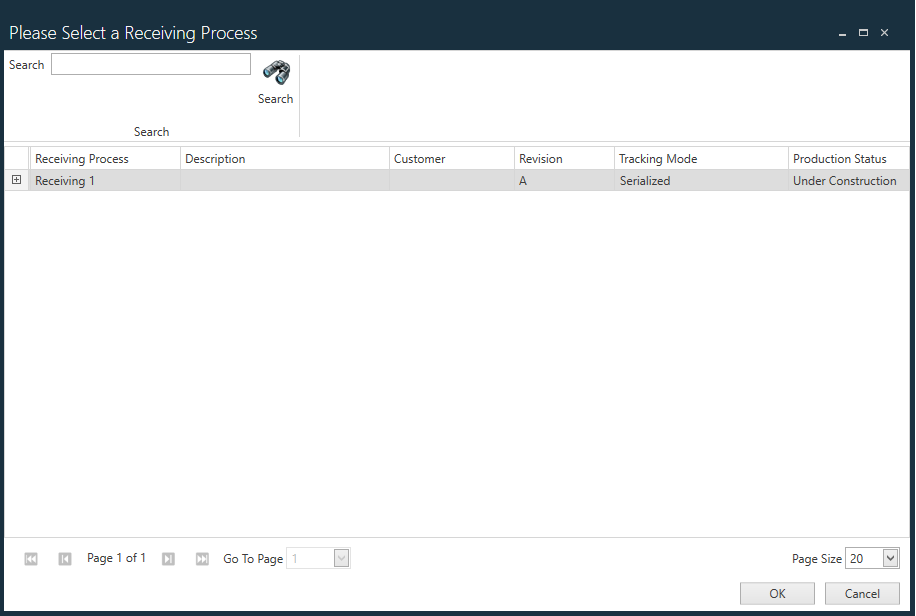
Receiving Process | Specifies the receiving process for this part.
Note Selet the Clear button (the Red x) if you want to remove the current receiving process. |
Kitting Type | Kitting is the gathering of parts and other components needed to manufacture an assembly or product. Individual components are gathered into a kit that is delivered to the point of use in the factory. Kitting typically functions in a series of steps. Select None, Kitted, or Not Kitted for the Kitting Type. |
Reservation Type | A reservation is a guaranteed allotment of material to a supply source. Select UID, Quantity, or Flexible Quantity for the Reservation Type. |
Default Stock Location | Specifies the location in your factory where the selected part is stocked and available for use in Production. Note You set up stock locations as resources in the Factory Resources area of NPI. |
Packaging Size | Specifies the size of the package if this part is stocked in packaged quantities. |
Component Type | Specifies the component type of the selected part: Capacitor, Coil, Diode, Polarized Tantalum Capacitor, Resistor, Tantalum Capacitor, Unknown, or Zener Diode. |
Nominal Value Detail | Represents the normal value of the part in question. Note This is a legacy option and is not used by FactoryLogix. |
Maximum Baking Count | Sets the number of times a moisture sensitive part (MSD) can be baked to remove moisture content before it can no longer be used. |
Default Baking Time (seconds) | Specifies the default baking time (in seconds) for the selected MSD part. |
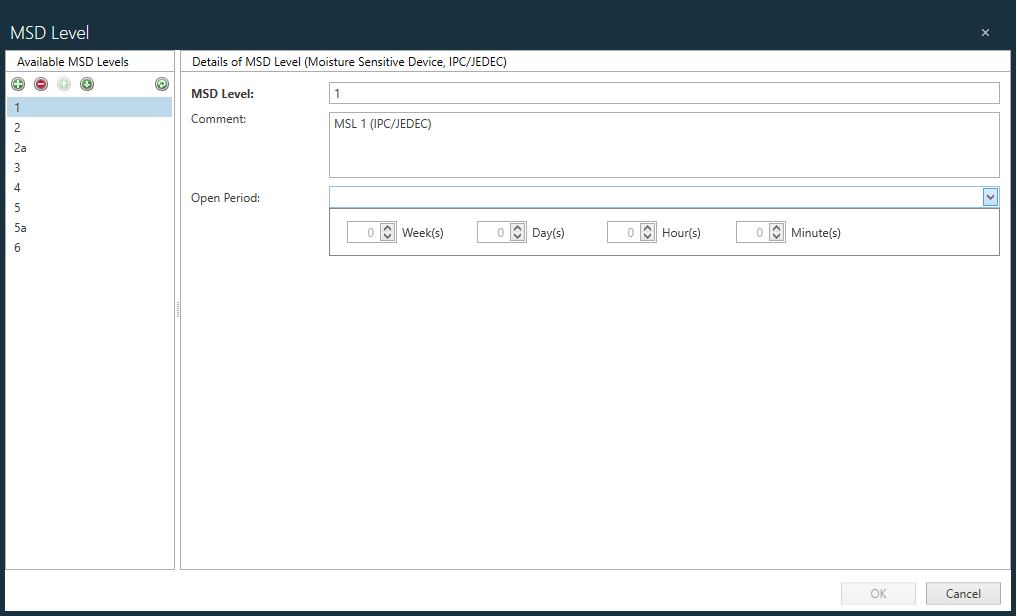
MSD Level | Specifies the acceptable moisture sensitivity level for the selected MSD part. Important MSD settings control MSD exposure at the point of use. If a user has an “open” MSD part for longer than the maximum exposure time allows, the system will not allow that material to be loaded for Material Setup and will invalidate the material at any location where it is currently set up.
Note Open time (also referred to as exposure time) defines how long a particular part can be exposed to the ambient air before it must be baked to remove the moisture from it.
|
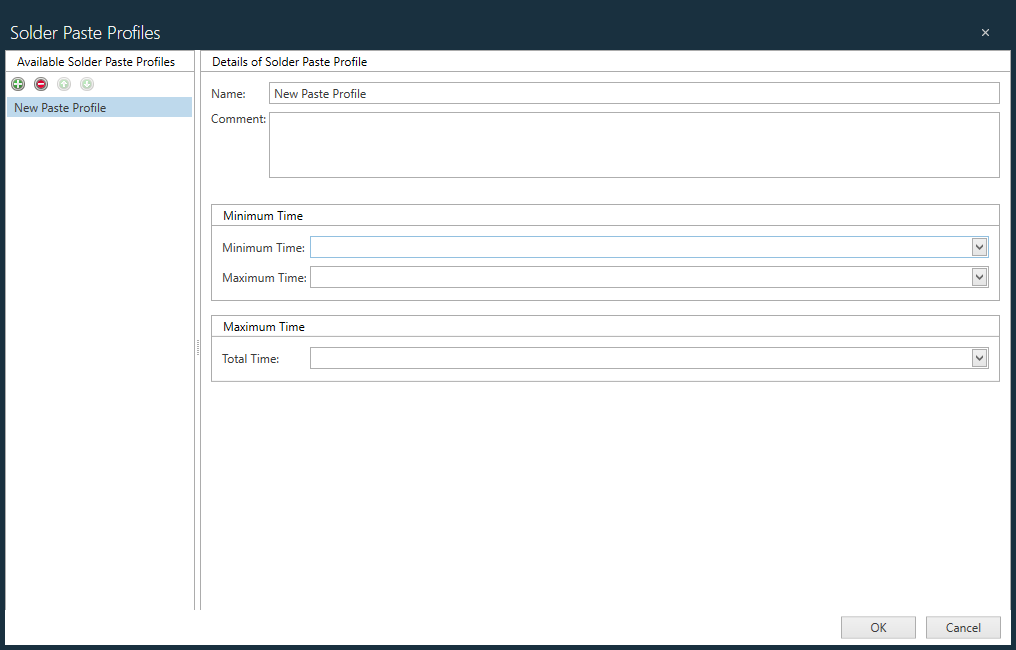
Solder Paste Profile | Specifies the solder paste profile for the selected part.
|
Component Handling | Specifies how the selected component part will be handled in the manufacturing process. For example, some parts must be glued to other parts or components, while other parts may need to be scrapped if a placement error occurs during manufacturing. 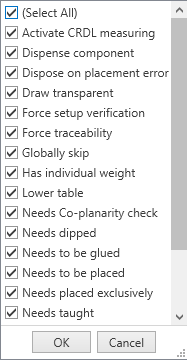 |
Sampling Level | Allows you to manually override the switching rule of an assembly or part. This setting applies only to sampling plans that allow the setting of switching rules: MIL-STD-105E – ANSI/ASQ Z1.4, MIL-STD-1916 – Accept-on-Zero (c=0), and Squeglia Zero-Based.
Switching rule overrides:
The selected override setting is applied regardless of the current state of the switching rules that may be configured. When switching from an override setting (Tightened, Normal or Reduced) back to the sampling plan’s setting and switching rules, the system will determine the correct AQL level from the configured base AQL level and the definition of the switching rules (if configured). |
Sampling Level Workstations | Allows you to set the factory resources for which the AQL Level Override will apply. You can select one or more workstations, lines, or areas from the drop-down list of factory resources. By default, all factory resources are selected (that is, no selection means the override is valid for any factory resource). |