
Late circuit serialization activity
When PCBs are being inspected during production, one of the first activities is to perform a solder test on them. When setting up the Late Circuit Serialization activity, if the solder test fails, you can allow operators to “X out” a circuit before proceeding in production.
When you add the Late Circuit Serialization activity to a step in your process, select the Allow Circuit X-Out check box on the Activity Details tab, then select OK.
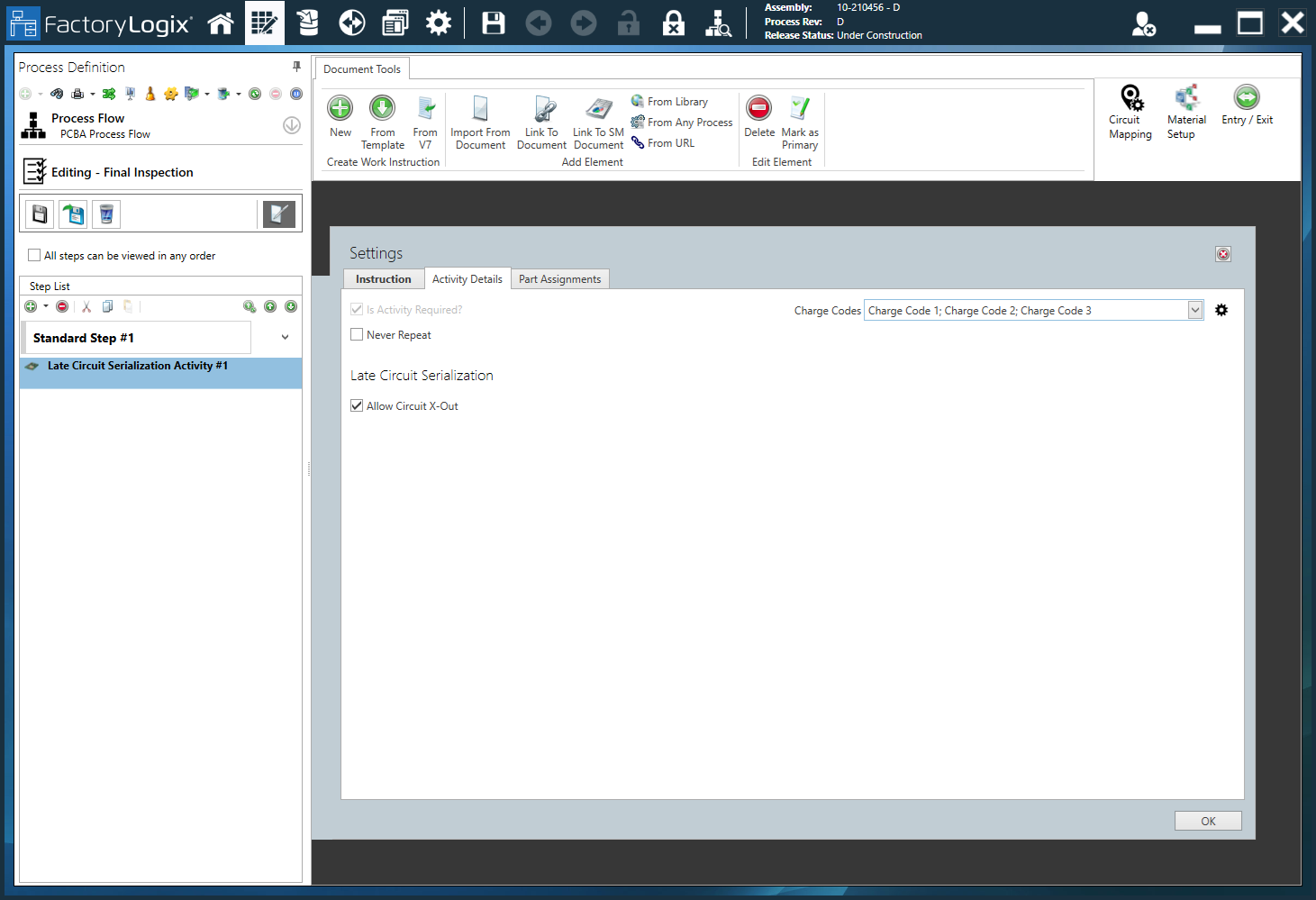
Make the check boxes in the late circuit serialization gadget editable when you set the new property.
What happens during production?
X-ed out circuits are processed as follows when the current transaction finishes in FactoryLogix Operations:
The circuit is removed from the panel
The circuit is marked as Scrapped

Warning
Circuits that were already X-ed out during normal initialization cannot be modified.