
Create the Enterprise Warehouse database
ADMINISTRATORON-PREMISE ONLY
The following procedure is for the enterprise administrator who creates and configures the Enterprise Warehouse database and the Enterprise BI website. (Site administrators configure each site.)
Log into SQL Server Management Studio.
Right-click Databases, then select New Database to create an empty database.
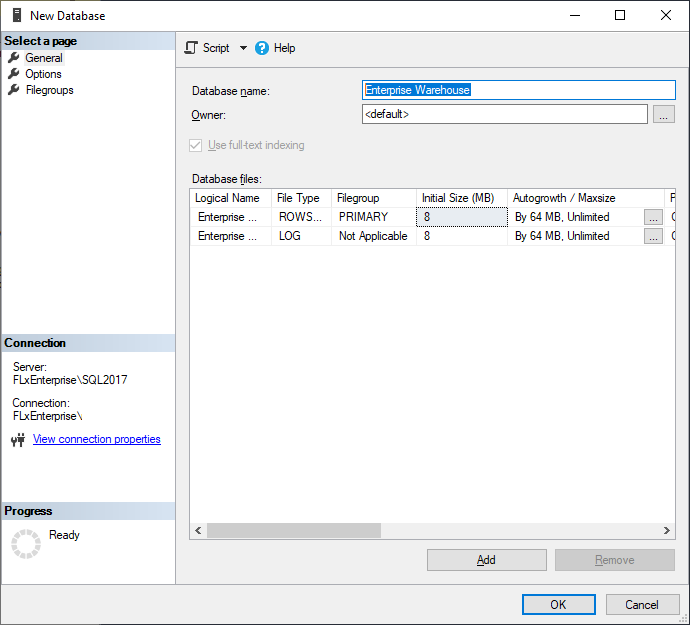
Name the database Enterprise Warehouse Database (or something similar), then select OK.
Select File > Exit.
Select the Windows Start button, enter IIS, then select Open to start Internet Information Services (IIS) Manager.
On the right side of the window, select View Application Pools.
Select Add Application Pool to host the website, name it Enterprise Warehouse (or similar), then select OK.
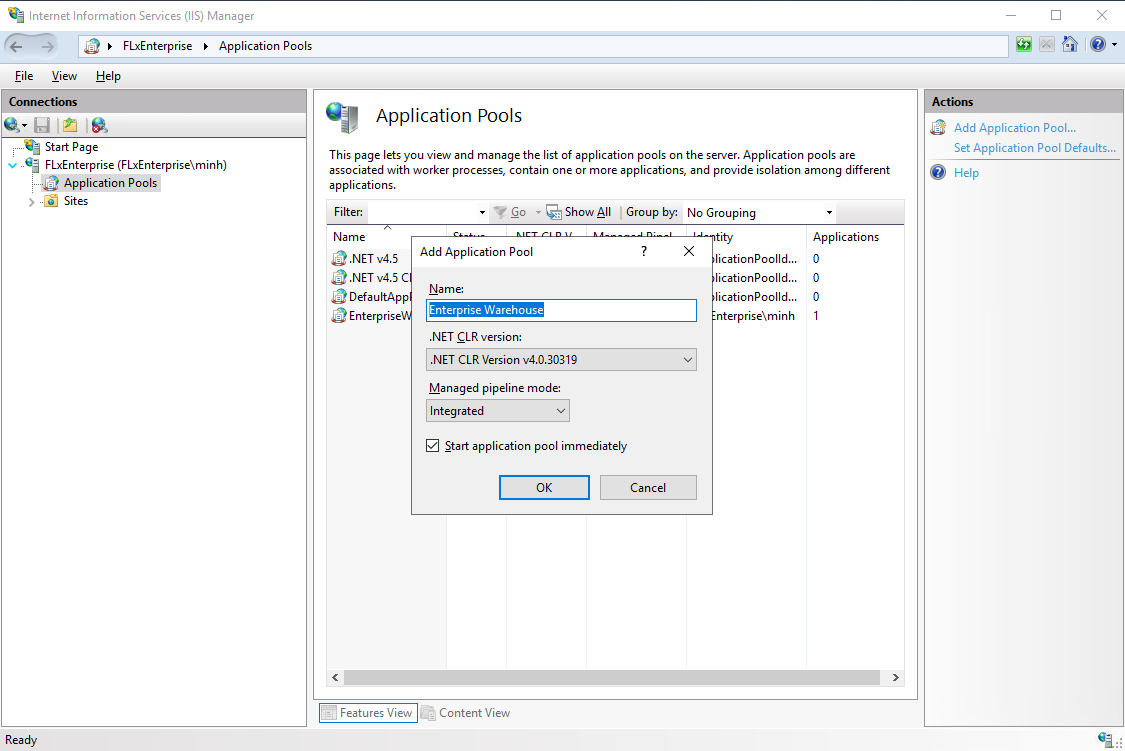
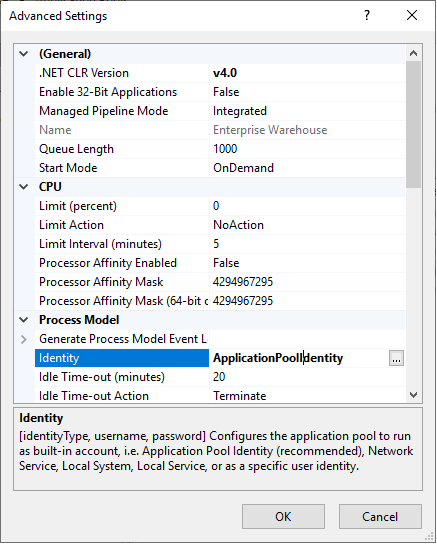
Right-click the application pool in the list and select Advanced Settings.
Select Identity under Generate Process Model Event Log Entry, then select the Browse (...) button.
Select Custom Account, then select the Set button.
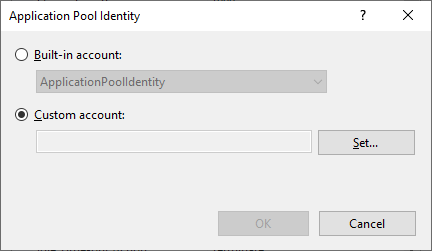
Enter the User Name and Password of the administrator domain account, confirm the password, then select OK until you return to the main IIS window.