Activity types
Activities specify the actual instructions presented to shop floor operators in FactoryLogix Operations and define all data collection associated with the assembly to the operators. Process designers define and configure activities for steps in the Process Definition window of FactoryLogix Office.
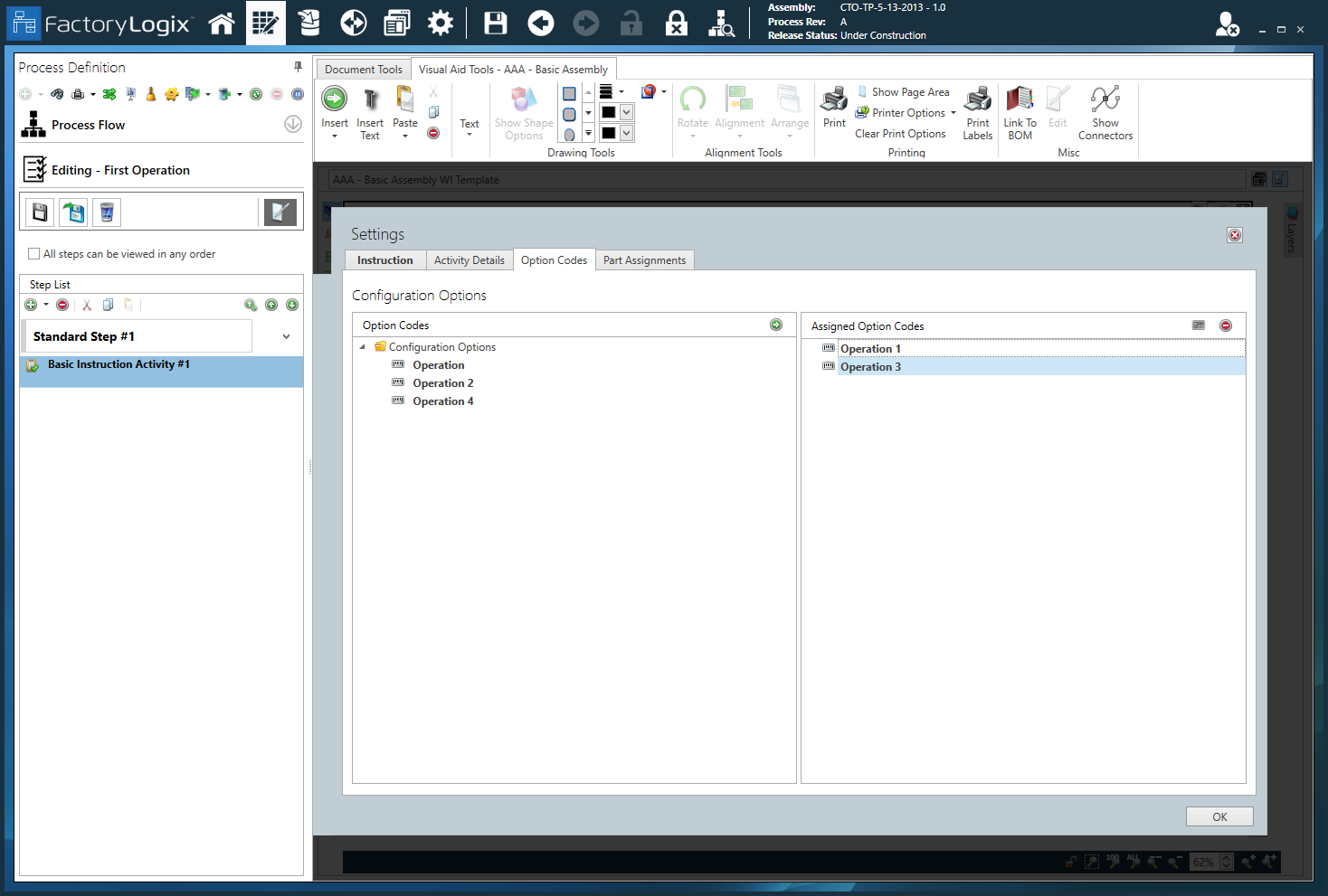
When you open FactoryLogix Operations, an Activity Navigator displays all activities in sequence for operators on the shop floor. When an operator selects an activity in the Activity Navigator, it is displayed in the Activities gadget and any associated documents are displayed in the Document Viewer gadget as shown in the following illustration.
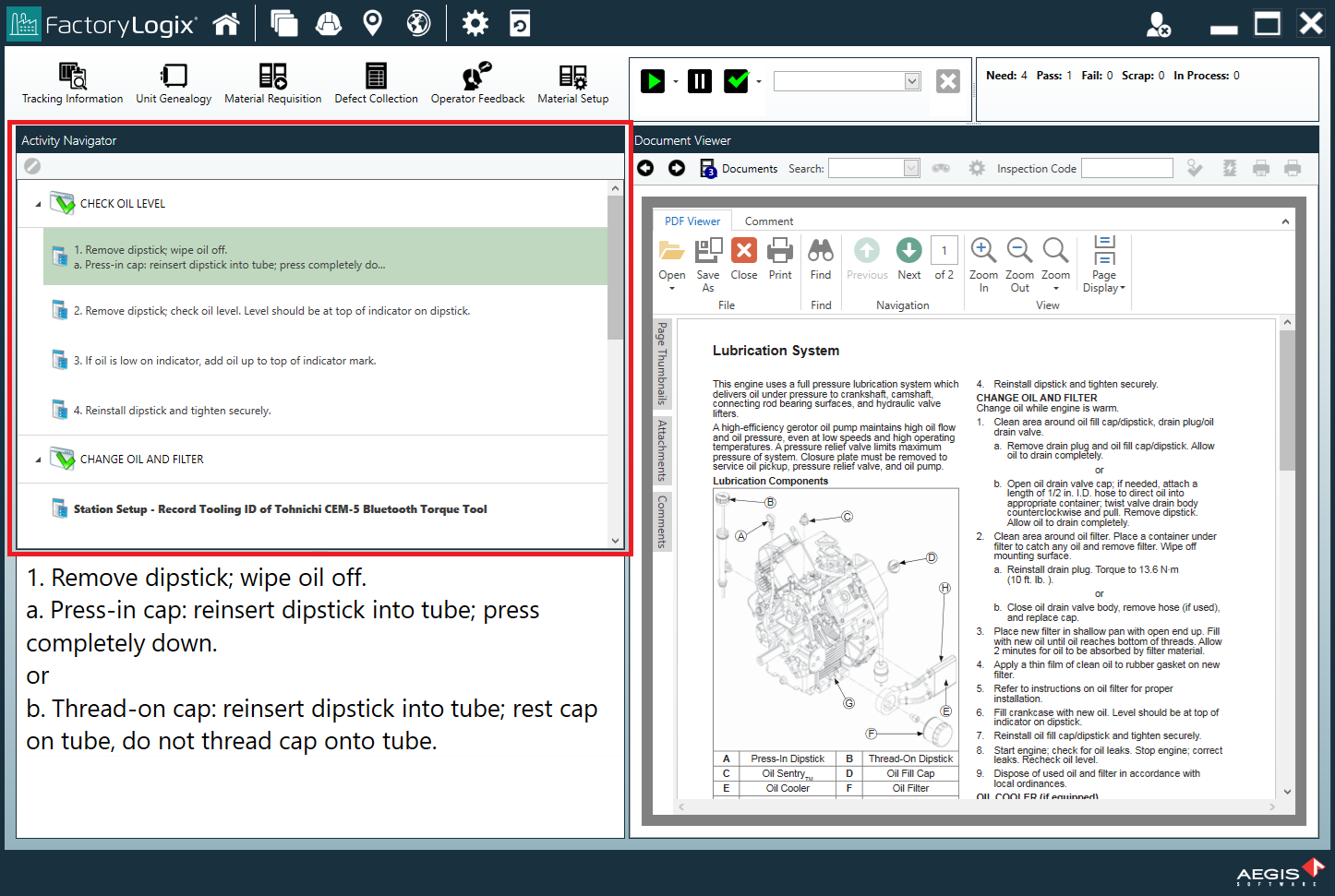
There are multiple types of activities you can add to a step in a process definition. The following table describes available activities in FactoryLogix Office.
Activity | Description |
|---|---|
Basic Instruction Activity | Displays any associated documents uploaded or linked to the activity. In FactoryLogix Operations, the specified instruction is displayed in the Activity Navigator gadget. |
Collect a Date/Time Activity | Prompts shop floor operators for a date and/or time. In FactoryLogix Operations, the date/time entered can be validated to ensure that it falls within certain parameters. If the date/time entered doesn't meet the criteria, the input date/time can be rejected—or even force the assembly into a reroute path. Process designers can also limit the input range so that operators may only enter a certain date/time. |
Collect a Date/Time Range Activity | Prompts shop floor operators for a date and/or time range to be associated with the activity. In FactoryLogix Operations, the date/time range entered can be validated to ensure that it falls within certain parameters. If the date/time range entered doesn't meet the criteria, the input date/time range can be rejected—or even force the assembly into a reroute path. Process designers can also limit the input range so that operators may only enter a certain date/time range. |
Collect a Number Activity | Prompts shop floor operators to enter a numeric value. In FactoryLogix Operations, the numeric value entered can be validated to ensure that it falls within certain parameters. If the value entered doesn't meet the criteria, the input value can be rejected—or even force the assembly into a reroute path. Process designers can also limit the input range so that operators may only enter a certain numeric value. |
Collect a Number Range Activity | Prompts shop floor operators to enter two values to make up a numeric range. In FactoryLogix Operations, the numeric range entered can be validated to ensure that it falls within certain parameters. If the numeric range entered doesn't meet the criteria, the input numeric range can be rejected—or even force the assembly into a reroute path. Process designers can also limit the input range so that operators may only enter a certain range of numbers. |
Collect Text Activity | Prompts shop floor operators for text input associated with the activity being performed. In FactoryLogix Operations, there is no validation of the text being entered. You can filter the text using the Regular Expression RegEx functionality. Tip Note FactoryLogix supports extended regular expressions that allow you to specify a pattern that the entered text should match. The syntax is similar to the syntax defined in the https://en.wikipedia.org/wiki/Regular_expression specification. |
Collect True False Activity | Provides a button allowing operators to respond to a True or False statement as defined in the activity by the process designer. |
Collect List Activity | Allows process designers to define a list of items for shop floor operators to select from. In FactoryLogix Operations, prompts the shop floor operator to enter a list of data (text or numeric) associated with the activity being performed. It is possible to design this activity to prompt the shop floor operator for a single selection from the list or allow multiple items to be selected from the list. |
Display a Webform Activity | Displays web-based operator input. This activity is typically used to prompt for data to be used in a third-party system. This activity can be especially useful for home-built data entry systems that allow users to use both FactoryLogix and their own systems simultaneously on the same screen. |
Attach File Activity | Allows operators to attach any type of file to the activity such as a picture or test output data. You can attach any electronic file to the Attach File activity. |
Database Data Collection Activity | To use this activity, the process designer defines a library of one or more connections to SQL Server databases. When configuring an instance of this activity, a drop-down list of displays database connections previously used by other instances of this activity. (If a required connection hasn’t been defined, the process designer can add a new database connection to the library of connections.) The process designer can also add a SQL statement to a library of SQL statements for this type of activity and identify the SQL statement to be used by a specific instance of this activity. In FactoryLogix Operations, the Database Data Collection activity presents the shop floor operator with a button, that when pressed, triggers the system to harvest test results from a specified SQL Server database for the unit or units currently being worked on. |
Spreadsheet Collection Activity | Specifies a new activity based on a spreadsheet that will be shared across all units in a batch.
|
Specification Data Collection Activity | Supports numeric specifications that define control limits. Records upper and lower control limit values with the parametric measurement it records when the specification used with the activity is numeric and has control limits defined. The Specification Data Collection activity can collect and record a date/time value when a date/time specification is utilized. Note If a shop floor operator attempts to execute a Specification Data Collection activity for a specification that is on hold, the operator will see a message that the activity cannot be completed at that time due to the specification being on hold. |
Execute Command Activity | Triggers FactoryLogix to have the underlying operating system execute a command (that is, run an executable). |
Questionnaire Activity | Provides a way to confirm assembly details and/or visual inspections with randomized selections. The Questionnaire activity is useful when assemblies use variants. A randomization option allows process designers to randomly change the order of the questions for shop floor operators. Incorrect answers in a Questionnaire activity may relate to indictments or defect codes and may trigger reroutes. |
Load Carrier Activity | Allows shop floor operators to load the current assembly into a carrier or container such as a rack or pallet. The activity creates a containment relationship between the carrier and the assembly. |
Sub-Assembly Activity | Forces the loading of a known sub-assembly. The sub-assembly’s build history is joined to the parent assembly for later recall and reporting. The sub-assembly that is added can be validated (if built in FactoryLogix) to ensure that it has completed the required route steps, has a valid status (that is, it is not failed or scrapped), and contains no open defect indictments. |
Capture Unit Housing Activity | Prompts operators to scan or enter the barcode for the outer housing in which the current assembly is placed. All build data and traceability information can be recalled by scanning the housing barcode. |
Capture Unit Alias Activity | Allows operators to assign an alternate identifier to an assembly. This activity may be useful in RMA and Repair Order processing. More often, users may build using a manufacturer serial number or barcode, then (due to customer demand) apply a new customer-supplied serial number on the final product (the Capture Unit Alias activity will accommodate this scenario while maintaining all traceability data for multiple serial numbers). |
Capture Materials Activity | Prompts operators to introduce known instances of materials to be tracked into assemblies by scanning or entering the UID (unique identifier) of those materials. In FactoryLogix Operations, each assembly to be processed through a Capture Materials activity must have the appropriate material scanned in (typically appropriate for smaller runs where scanning materials each time won’t be a burden to the manufacturing process). For high volume production runs, we recommend Material Setup Validation where users “kit” or load materials into an operation once and each assembly that passes through the operation inherits the materials known to be loaded. |
Validate Captured Material Activity | Provides a facility for the shop floor operator to confirm the UID of material already collected against the unit they are working on inn FactoryLogix Operations. This activity validates that material was captured against a unit using the Capture New Material step or the Capture Materials activity in FactoryLogix Operationst—it does not validate materials captured using Material Setup in FactoryLogix Operations or via xLink. Process designers can configure the Validate Captured Material activity to validate all material captured against the unit in production, or filtered to only validate material of a specific part number or numbers. |
Take a Sample Activity | You can add the Take a Sample activity to any step of an operation’s steps and activities. In FactoryLogix Operations, the operator can invoke the Take a Sample activity at any time (that is, a unit doesn't need to be started in the production environment).
Note There is no way to force an operator to perform the sampled inspection at the appropriate interval, but the activity will be highlighted. It is up to the operator to initiate the activity from the user interface. All units completed at the Key Tracking Operation at the time when the Take a Sample activity was initiated and since the last time a sample was taken are automatically associated with the new sub-lot. For more information about sampled inspection, see In-process quality sampling with sub-lots. |
Unit Configuration Activity | This activity is only available in production processes for configurable assemblies (CTO). This activity requires the process designer to specify a list of option codes to be presented to the shop floor operator in FactoryLogix Operations. The shop floor operator selects one or more of these option codes which are recorded as part of the unit-level configuration for the serialized units currently being worked on by the operator. The option codes that a shop floor operator using the Unit Configuration Activity can select are referred to as unit-level option codes—all remaining option codes are referred to as batch-level option codes. |
Generate Specimen Activity | Allows the FactoryLogix system to handle destructive testing within incoming inspection. The activity handles lot-based processing of different testing specimens for labeling and rerouting in an Incoming Quality Control (IQC) process for receiving a shipment. For example, a customer requires the ability to split a UID during an Incoming Inspection process in order to satisfy offsite testing (destructive testing). The original UID can complete the rest of the IQC process and be stocked but is blocked until the remainder of the GRN is passed through IQC. |
Generate Report Activity | Prompts operators to select a report to print for the current operation. |
Print Label Activity | Prompts operators to select a label template to print a label. |
Serial Communications Activity | Provides bi-directional messaging through a serial port connection. In FactoryLogix Operations, operators are prompted to respond to messages, in order. If they respond to the first message, the next message is processed. If they do not respond to the first message, the activity terminates with an error informing the operator that an error occurred and the serial communication has terminated. This activity is available for serialized, non-serialized, and hybrid production processes as well as Label First and Label Last receiving processes. |
Kepware PLC Activity | Allows the FactoryLogix system to communicate with PLCs (Programmable Logic Controllers) using KepServerEX. Note Kepware (sometimes referred to as Kepware Server/KEPServerEX) is not a PLC; it is a powerful connectivity software platform that acts as a bridge between PLCs, sensors, and IoT devices. The Kepware PLC activity uses the HTTPS protocol and a Send tag to determine whether the machine is ready to start processing. The activity also uses a tag to notify KepServerEX that it has finished reading all the required tag values. |
Open Protocol Torque Driver Activity | Supports torque drivers and controllers which adhere to the Open Protocol specification released by Atlas Copco and supports the specific messages (and message revisions). The Open Protocol Torque Driver activity requires an Ethernet connection to the tool controller. The integration communicates bi-directionally with the controller by sending and receiving messages called MIDs (Message IDs). Each Open Protocol Torque Driver activity in FactoryLogix can either reference a single PSET with a minimum
Important The Open Protocol was developed to allow tools to integrate with third party software systems |
LabVIEW Activity | Enables an integration with a LabVIEW testing solution. The LabView activity communicates the UID of each unit to be tested, the name of the tester on which the UID is to be tested, and records the results of each test once performed. The results provided by the tester are recorded as measurements against the WIP transaction in which the LabView activity that signaled the testing was executed. Note LabVIEW is a graphical programming platform used by engineers for data acquisition, instrument control, and industrial automation. It accelerates development using a visual "G" language that flows like a flowchart, integrating seamlessly with hardware to provide fast test and measurement solutions. |
Digital I/O Switch Activity | Works in conjunction with the Digital IO Switch type of FactoryLogix Connected Equipment which supports a variety of digital IO switches with a variable number of input and output connections. Manual workstations are sometimes equipped with digital IO boxes to which sensors and actors can be connected. These sensors are used for observing operator activities (that is, if a specific part has been assembled, while the actors are present to communicate that some activity may begin or has completed—both are communicated by setting ports of the IO-Box to On or Off). |
Material Picking Activity | Visually guides shop floor operators at manual assembly stations by illuminating a stock location using a Pick by Light system. In FactoryLogix Operations, operators are guided to the location storage bin containing the next part or parts required in the assembly of a production unit to guide the operator. This activity works in conjunction with the Connected Stock type of Connected Equipment that associates each light in a Pick By Light system with a FactoryLogix stock location and manages the communications between the two systems. |
Late Circuit Serialization Activity | Prompts shop floor operators to serialize components that have only a placeholder or a temporary barcode (this cannot be an existing barcode). When an operator performs a solder test on a PCB and the test fails, the operator can “X out” by selecting the Allow Circuit X-Out check box. When the current transaction is finished, the circuit is removed from the panel and the circuit is marked as Scrapped. Circuits that were already x-ed out during normal initialization cannot be modifled. Note Unlike the standard Initialization Activity, the Late Circuit Serialization Activity utilizes the Tracking Action gadget and requires the operation to be configured for Full Tracking. |
Atlas Copco Screwdriver Activity | Offers an integrated experience for operators performing work at Atlas Copco screwdriver workstations, and ensures the proper job or recipe is used at the workstation for the assembly being built. This activity is available for serialized, non-serialized, and hybrid processes as well as Label-First and Label-Last receiving processes and the activity supports controllers controlling multiple tools. |
Wonderware Data Historian Activity | Allows you to configure and collect sampled measurement data so you can identify data trends during production runs. The Wonderware Data Historian activity is available for serialized production processes or serialized operations within hybrid processes. Manufacturers often collect data from monitored machines/equipment during production and then store the data in a https://www.aveva.com/en/products/historian/ SQL database. The collected data identifies the machine and date and time, but doesn't include the unit UID. Before a unit is processed by monitored machines, a validation should be done to ensure the conditions are suitable. Once a unit is validated, the conditions it experiences as it is processed through or past the monitored machines can be recorded in the unit’s build history in FactoryLogix as sampled data. For more information, see Data collection from Wonderware (Aveva) Historian. |


