Make an existing assembly configurable (CTO)
If you need to make an existing assembly a Configure-To-Order (CTO) assembly, you can change the assembly properties in the Bauteilbibliothek.

Important
Once you make an assembly configurable, CTO options are available throughout the FactoryLogix Office user environment—otherwise, these options are hidden to avoid confusion for non-configurable assemblies.
Log into FactoryLogix Office.
Select Libraries > Part Library.
Select the Show Only Assemblies button on the toolbar in theBauteilbibliothek.
In the Search for box at the top of the window, enter the desired part number for an assembly, then select the Search
 button (the binoculars).
 Select the assembly on the left side of the window, then select the plus icon in the leftmost column to expand the assembly details.
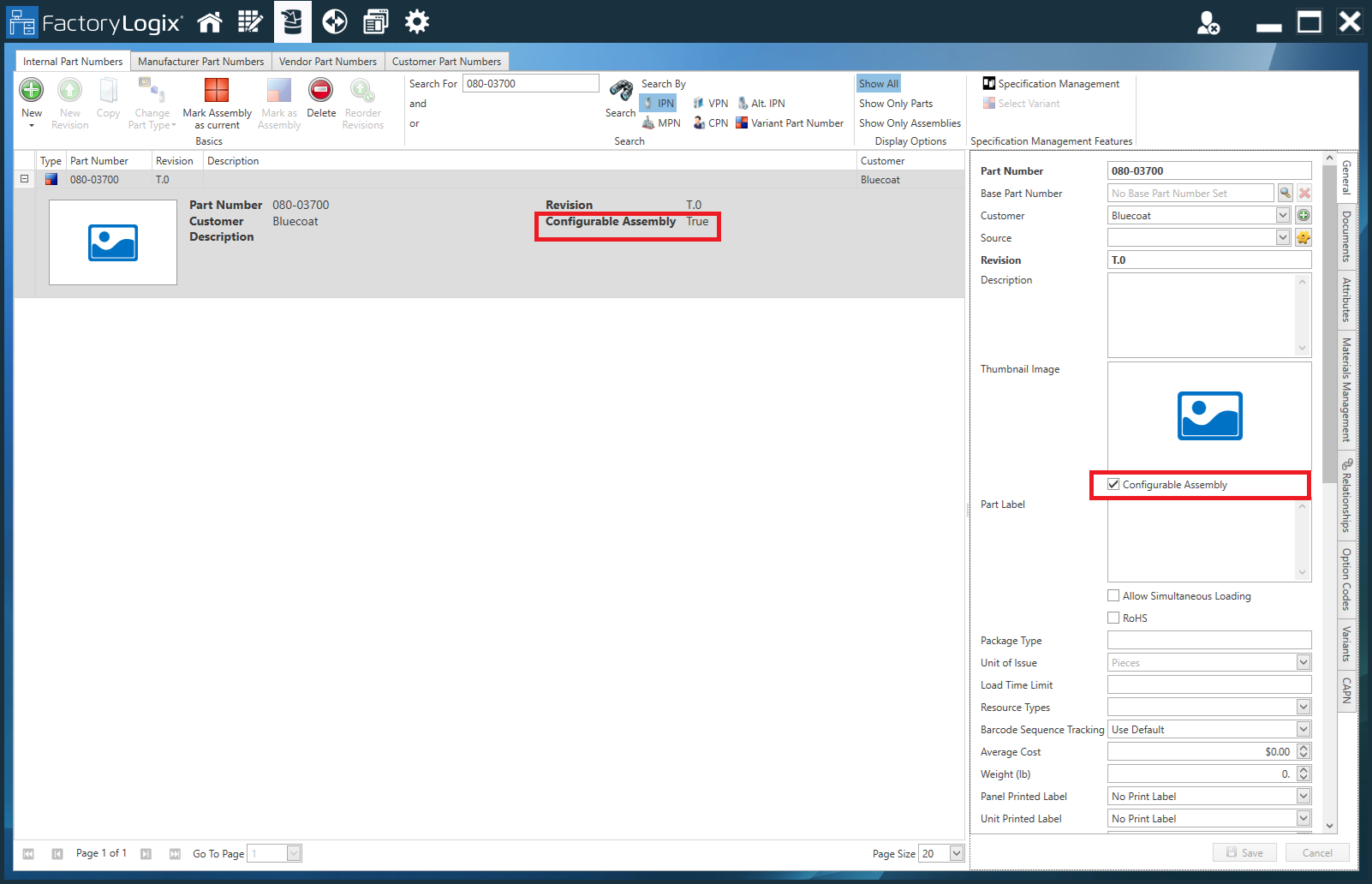
Notice that in the Description column, Configurable Assembly is set to False.On the General tab, select the Configurable Assembly check box on the right side of the window.
Select Save in the lower-right corner of the window.
Notice that in the Description column, Configurable Assembly is now set to True.